Best Google Review Cards: A Vendor Comparison
Key facts
- Method
- Opens a business review page; does not publish a review
- Choice
- Customer chooses whether to post and their own rating
- Ordering
- Check the selected product options and full terms
The best Google review card is the one that fits your customer interaction, opens the correct review page and has clear ordering terms. Compare NFC and QR features, print options, link control and returns before choosing. A marketplace listing or a homemade paper prompt may also meet your needs.
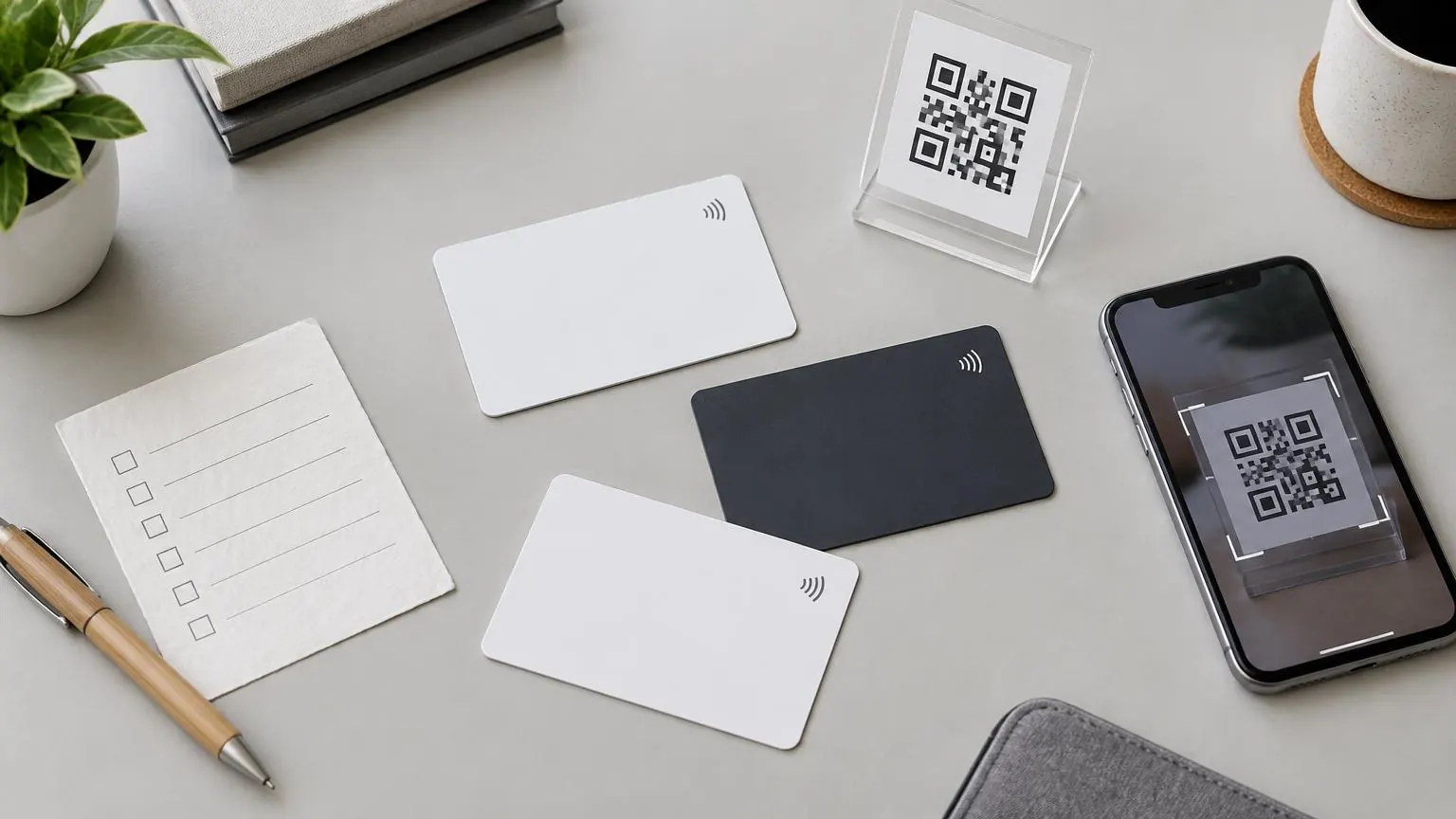
The best Google review card is the one that fits your customer interaction, opens the correct review page and has clear ordering terms. Compare NFC and QR features, print options, link control and returns before choosing. A marketplace listing or a homemade paper prompt may also meet your needs.
Compare the purchase, not the ranking claim
A buyer comparing sellers needs something more useful than a league table. This guide does not rank brands, report conversion rates or describe a card as a route to a higher position in search. It separates what you can inspect before payment from what depends on the customer. A physical prompt can open a review page; it cannot decide whether someone posts or what they write. Start by noting where you will use it and whether it will be retained or handed away.
| Route | What to check | When it can fit | Limit |
|---|---|---|---|
| This store’s NFC card | Named card option, QR inclusion, programmed business link | Reusable handoff at checkout or after a visit | Simple option has no printed QR |
| Marketplace listing | Actual seller, selected pack, setup instructions and returns | A clearly specified item with terms you can verify | Marketplace presence is not a quality guarantee |
| Specialist paper handouts | QR destination, pack contents and whether link control uses a service | Paper cards customers can take away | Paper is not an NFC product |
| DIY printed prompt | Your tested review link, printing clarity and replacement plan | Trying a single fixed prompt with existing supplies | No tap function unless a separate NFC tag is added |
Read the selected option, not just the hero photo
Here, the card options are Simple, With QR, With Name + QR, and Name + QR (unbranded). Each contains NFC, but the Simple card has no printed QR. White and black are listed color choices. The two named options include the business name; a logo is not included by the structured standard card options. The unbranded option removes the store brand mark, which is not the same as adding your own logo. Ask about a requested change before assuming it is part of an option.
On a marketplace, inspect the current seller listing in the same way. Identify who takes the order, the selected variation and whether the pack is NFC, QR-only or both. Look for a direct review destination rather than assuming a photo proves the flow. Check if a dashboard or redirect account is required, what happens to the link if that service stops, and whether recurring charges are stated. This is a buyer checklist, not a claim about any particular marketplace vendor.
A current paper-handout example, without a price ranking
Tap Tag’s paper-handout product page was checked on November 1, 2026. The vendor describes paper cards with a QR code and explicitly says they do not have the tap feature. Its page offers either supplying a review URL or using its own software. This illustrates a different purchase: take-away paper rather than a reusable NFC card. No competitor price is quoted here; pack selection, delivery and software terms should be checked on the vendor page when you buy. The mention is not an endorsement of its suggested review-request wording.
Make the cheapest adequate choice
A homemade QR prompt can be enough when you already have printing supplies, one stable business link and a suitable place to display it. A reusable card becomes a different proposition when staff need something to hand over repeatedly. A stand may suit a fixed counter better than either. Do not buy a format merely because it is presented as premium: choose the behavior you need, check the link and inspect the finished print. Hardware cannot replace a neutral request made to every customer.
- Test the actual business destination before production.
- Read standard and on-request customization separately.
- Check delivery fees and return exclusions for programmed goods.
- Keep your request neutral; do not offer incentives or select only satisfied customers.
A comparison sheet that makes unlike offers comparable
Write a short requirement before opening seller tabs: one reusable item for the reception team, the correct branch destination, and a camera alternative as well as NFC. Then give each offer the same columns: actual item, quantity, connection methods, standard print, link arrangement, delivery terms and return conditions. Record an unanswered question as unknown rather than assigning a favorable score. A product photograph cannot settle whether the chosen variation includes a feature. This method lets you compare a specialist store, a marketplace seller and a paper prompt without pretending they sell identical things.
Separate must-have features from preferences. A scan method may be essential for your planned interaction; a matching brand color may simply be desirable. If two options satisfy the essential requirements, compare their selected totals and the maintenance you would take on. Do not award points for unverified claims about reviews, conversion or rankings. A seller can explain its hardware and ordering process without proving how customers will behave. Where a listing makes a strong performance claim without evidence you can inspect, leave that claim out of the purchasing decision.
Worked choice: a reception desk with a shared card
Consider an appointment business where staff already speak to customers at reception. The card stays with the business and passes between staff rather than being given away. A reusable card is a plausible fit because the handoff has a keeper and a defined place. If the team wants both tap and camera access, compare QR-equipped card variations, not the Simple NFC-only option. A named QR option may also help distinguish this business from another tenant, but it does not substitute for checking the encoded review destination.
Now change the circumstances: the reception desk has no room for a loose card, and staff routinely forget where shared stationery went. A fixed stand may address that physical problem more directly. Compare its actual selected NFC/QR option and a reachable placement. Alternatively, a clear paper prompt secured in an existing holder may be sufficient. The decision is not that a stand is universally better or that named print performs better. It is that different formats solve different storage and presentation needs, which you can inspect before expecting any customer action.
Worked choice: a mobile operator and a temporary stall
For a mobile contractor, decide whether a clean pocket or a key ring is the reliable place to carry the prompt. A card can fit the pocket; the listed keychain offers another portable format. Check how easily either can be presented without exposing dirty tools or handing over a crowded ring of keys. QR-equipped hardware offers a scan alternative where included, but neither solves a missing internet connection. If follow-up normally happens remotely, a tested direct link may be the more appropriate route and no physical purchase may be necessary.
A temporary market stall has another constraint: its layout may change between events. Begin with a tested paper QR prompt if it is easy to position and replace. Consider a stand only when you have an actual stable surface and can keep the customer’s phone clear of merchandise and equipment. There is no requirement to buy permanent hardware for a trial arrangement. These examples are hypothetical purchasing situations, not customer case studies, and they make no claims about how many people would review after a tap or scan.
Ask how the destination works after the sale
A direct link and a managed link are different purchases. With a direct destination, the stored or printed URL identifies the page it opens. With an intermediary, a service controls where that URL forwards. Ask who can change the destination, how access is obtained, whether charges recur, and what the item would open if access to that service were lost. Do not describe a competitor’s service as unreliable merely because these questions need asking. The same questions are sensible for any seller, including this store.
Here, the optional Editable URL is a one-time lifetime purchase at the configured market price and is included for reseller members. It is separate from ordinary hardware. That wording does not establish a physical lifetime for a card or guarantee that every unrelated third-party destination remains available. For an item without managed link control, confirm its actual rewrite capability before relying on NFC reprogramming. A static printed QR cannot have its pattern changed remotely. Record the intended arrangement so the next person maintaining the prompt understands which part can actually change.
Inspect the delivery, then keep an acceptance record
On arrival, compare the delivered format and print against the option you selected. Open the intended review link directly, then test NFC and the printed QR if included. Check the business name on the phone, not just whether a browser opened. If the two methods disagree, set the item aside and ask the seller to investigate rather than distributing it immediately. Keep the order details and a concise description of what you observed. This is an acceptance check, not a promise of a particular replacement process or delivery timetable.
Once the item is in use, give it a storage place and explain one neutral invitation to the team. Customers keep control of their phone and decide whether to post. If a customer declines, that does not mean the product failed its specification. Review your choice by asking whether the prompt remains accessible, its destination is correct and the physical format still suits the interaction. If the business moves, changes its profile or changes staff, repeat those checks. Do not use a seller comparison as justification for incentives, positive-only requests or a guaranteed review-growth target.
Related buying decisions
For the wider topic, use the nfc products guides. Continue with Google Review Card Price: The Order Breakdown and Printable Google Review Card: Try Before Buying. Check the selected product’s actual options and compare all six review products before ordering.
❓ Frequently asked questions
Is there one best card for every business?
No. Compare the place of use, handoff method, included NFC/QR features and ordering terms. No vendor ranking is established by this guide.
Are marketplace cards automatically worse?
No. The relevant questions are the selected item, seller, setup, link destination and terms. A marketplace listing alone proves neither quality nor suitability.
Does this store’s cheapest card include QR?
No. Simple is NFC-only. The With QR option and the named QR options include a printed QR code.
Can a paper handout be enough?
Yes, for a tested camera-scan workflow. Paper handouts do not gain an NFC tap feature merely by carrying a QR code.
Are competitor prices compared here?
No. The Tap Tag paper page was checked on November 1, 2026 for its format description, but no competitor price is quoted.
Will a more expensive card produce more reviews?
No result is promised. Price can reflect features and print choices, not a guaranteed change in customer behavior or search ranking.
Sources
Related articles
Google Review Card Price: The Order Breakdown
Google review card price depends on the selected format, printed features, quantity and extras, not a promised review result. This store’s US Simple NFC card starts at $9.99. Compare the exact option price, the $6.99 delivery fee and any paid lifetime add-on rather than treating a starting price as your final total.
Printable Google Review Card: Try Before Buying
A printable Google review QR prompt can be enough when a camera scan fits your customer interaction and you already have suitable printing supplies. Try the real destination at its final printed size before buying NFC hardware. Keep the paper version if it works for your placement; a paid card is not automatically necessary.
Further reading and buying information
- NFC Google Review Cards
- Best Google Review Card Designs: Layout and Design Tips
- Best Surfaces for NFC Google Review Stickers
- The Best Tools for Collecting Google Reviews
- Multi-Review Cards: How to Collect Reviews on Multiple Platforms
- Are Review Cards Allowed by Google?
- QR Code Review Cards: Do They Really Increase Reviews?
- Custom Google Review Cards: Order Options
- Google Review Cards: A Small-Business Starter Kit
- The Best Time to Ask for a Google Review (By Business Type)