Best Surfaces for NFC Google Review Stickers
Where you put a Google review sticker decides whether customers notice it. The best surfaces, the ones to avoid, placement ideas by business type, and how to apply a sticker so it stays put.
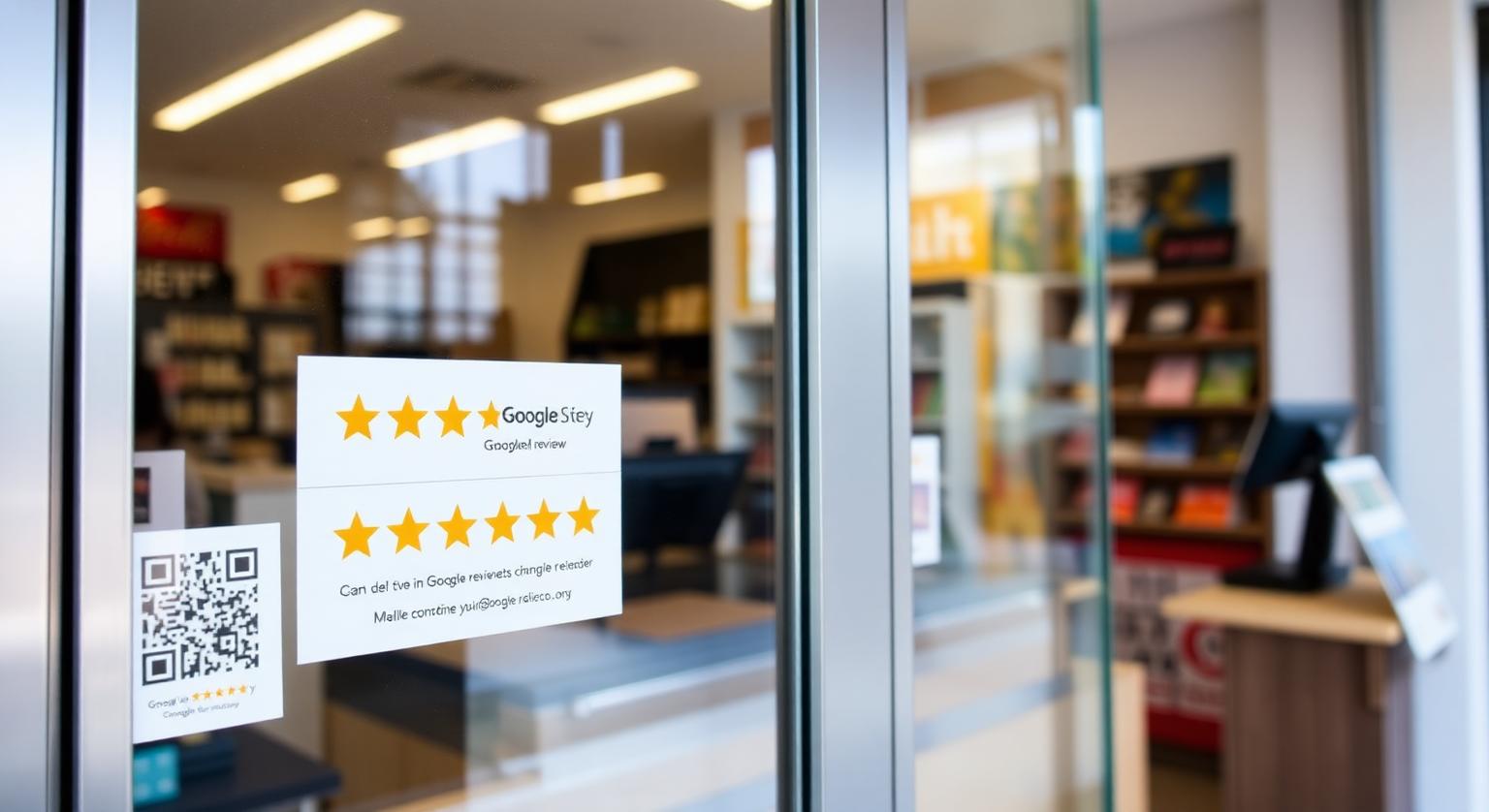
The best surfaces for an NFC Google review sticker are flat, clean, non-metal and within easy reach: glass doors, laminated menus, wooden or laminate counters, plastic tablet stands and table tops. The worst are bare metal, curved or textured surfaces, and spots behind screens or thick panels. This guide explains why the surface matters, which ones work in US businesses, how to apply a sticker so it stays put, and how to test it before customers ever see it.
Why the Surface Matters for an NFC Sticker
An NFC sticker has a tiny antenna that is powered by the customer's phone, and it only works over a very short distance — the phone has to come within roughly an inch of it. Anything that blocks or disturbs that antenna, or keeps the phone from getting close, makes the sticker unreliable. The surface also decides whether the adhesive holds and whether the printed QR code stays readable.
Three things to check before you peel the backing:
- Material — wood, glass, plastic, laminate and painted drywall are fine; bare metal is not
- Shape — flat and smooth surfaces hold adhesive best; tight curves and rough textures lift at the edges
- Access — the customer has to be able to put their phone flat against it without leaning over equipment
Best Surfaces in US Businesses
These spots combine a friendly surface with a natural pause in the customer's visit, which is when they are most likely to tap.
- Glass entrance doors at chest height — coffee shops, boutiques, salons; place it on the inside of the glass where people pause on the way out
- Front-desk laminate or wood — hotels, dental offices, gyms and clinics, beside where people sign or pay
- Beside the POS terminal — restaurants and food trucks; stick it on the counter next to the terminal, not on the terminal itself
- Laminated menus and table tents — diners, bistros and breweries, where guests sit with their phone already out
- Table tops — cafés and food courts, near the edge so it's not covered by plates
- Salon station mirrors — stuck on the frame or a flat edge rather than the reflective glass center
- Vehicle dashboards or seatbacks — rideshare drivers and mobile detailers, if your platform's rules allow in-car signage
| Surface | Works well? | Tip |
|---|---|---|
| Glass door or window | Yes | Clean first; test from the side customers will tap |
| Wood or laminate counter | Yes | Avoid areas that get wiped with harsh cleaners all day |
| Plastic or acrylic | Yes | Good for menu holders and tablet stands |
| Painted wall | Usually | Flat, smooth paint holds best; avoid fresh paint |
| Bare metal | No | Stick it on a non-metal surface nearby instead |
| Curved or textured surfaces | Unreliable | Edges lift and the antenna can bend |
| Behind screens or thick panels | No | The phone can't get close enough |
Surfaces to Avoid
Avoid metal, electronics and anything that keeps the phone more than about an inch away. These are the placements that most often lead to "it doesn't work" complaints.
- Bare metal — cash drawers, steel counters, metal door frames and fridge doors interfere with a standard NFC antenna, so taps fail or only work at odd angles; move the sticker to a nearby non-metal surface or use a counter stand
- On the payment terminal — customers may confuse it with the contactless payment area, so keep it beside the terminal rather than on it
- Behind register screens or tablets — the device gets in the way and the phone can't reach the sticker
- Inside thick glass or display cases — the gap may be too large for the phone to read the tag; test before committing
- Spots that are constantly wet or scrubbed — bar rails and sink edges wear the print and the adhesive faster, even on a waterproof sticker
- Outdoor spots in full sun and rain — choose a sheltered position under a canopy or inside the door, and check it regularly
How to Apply a Review Sticker So It Stays Put
Pick the spot by watching where customers pause — at the door, at the counter, at the table.
Clean the surface with rubbing alcohol or glass cleaner and let it dry completely; grease and dust are the main reasons stickers peel.
Peel the backing without touching the adhesive, line the sticker up, and press it down from the center outwards to push out air.
Press firmly over the whole sticker for several seconds, paying attention to the edges.
Leave it alone for a while before wiping over it, so the adhesive can set.
Test it with an iPhone and an Android phone, and scan the printed QR code, from the position a customer would stand or sit.
Testing and Upkeep
Test every sticker once a week as part of opening checks. Tap it, confirm it opens your Google review page, and look for lifted edges or a scuffed QR code. Our stickers come in multi-packs and arrive pre-programmed with your Google review link, so keeping a spare or two in the office makes it easy to replace one that gets damaged. If you ever need to change where the stickers point, the optional editable-link add-on lets you update the link without replacing them.
Phone checks worth knowing:
- iPhone XS, XR and later read NFC stickers in the background with the screen on
- iPhone 7 to iPhone X need the NFC tag reader in Control Center
- Android phones need NFC switched on in settings
- The printed QR code works with any phone camera — keep it visible and unscratched
Wording Next to the Sticker
A short line such as "Tap or scan to leave us a Google review" is enough. Don't add anything like "Review us for a free coffee" — Google's policy prohibits offering anything in exchange for a review. For more on where each sticker earns its keep, see where to place Google review stickers, or browse Google review stickers.
❓ Frequently asked questions
Can I put an NFC review sticker on metal?
Not directly. Metal interferes with a standard NFC antenna, so place the sticker on a nearby non-metal surface or use a counter stand instead.
Will an NFC sticker work through a glass door?
Usually, if the glass is ordinary door thickness and the customer taps on the opposite side, but the gap matters. Test it from the customer's side before relying on it.
Are review stickers OK outdoors?
Our stickers are waterproof, but constant sun, rain and scrubbing still wear any sticker. Choose a sheltered spot and check it regularly.
Can I stick a review sticker on my card terminal?
It's better to place it beside the terminal. On the terminal, customers can confuse it with the contactless payment area.
Why does my sticker work for some phones but not others?
Older iPhones (7 to X) need the NFC tag reader opened from Control Center, and Android phones need NFC switched on. The printed QR code is the fallback for everyone else.
How long do NFC Google review stickers last?
It depends on the surface, how often the sticker is touched and the conditions it's exposed to. A clean, smooth indoor surface away from heat and scraping gives it the best chance.
Can I reposition a sticker after applying it?
It's best to choose the spot carefully before applying, because peeling a sticker can bend the chip or weaken the adhesive. Test the spot first by holding the sticker in place and tapping it.
Will NFC stickers work through glass?
NFC can read through thin, ordinary glass, but range is short, so test it before committing. Applying the sticker on the side customers can reach is the simplest option.
Do stickers work as well as review cards or stands?
They do a different job. Stickers suit fixed spots like doors and counters, while cards can be offered directly to customers. Many businesses use both.
Will the sticker damage paint when removed?
It can, especially on fresh or delicate paint. Peel slowly and clean off any residue gently.
Can the same sticker work in any country?
Yes. The sticker simply opens your Google review link. Some businesses add a short second-language label next to it.
Related Guides & Tools
Hand-picked next reads for US small businesses growing their Google reviews.
Tap tag setup instructions
Finding your review link, testing the tap, and the QR backup.
Where to place review stickers
Companion placement guide.
Mounting Google review plaques
Surface prep crossover tips.
Using Google review stands
Pair stickers with stands.
Google Review Stickers
NFC Google Review Stickers
Explore Our Products
Google Review Card
NFC tap cards that take customers straight to your Google review page.
Google Review Stand
Countertop stands perfect for restaurants, salons, and reception desks.
Google Review Plaque
Wall-mounted plaques that collect reviews in high-traffic areas.
Google Review Stickers
Peel-and-stick NFC stickers for windows, doors, and counters.
Google Review Keychains
Portable keychains your team can carry to collect reviews anywhere.
NFC Wristband
Wearable NFC wristbands for events, trade shows, and on-the-go reviews.
Related articles
Google Review Stickers: Where to Place Them for Maximum Impact
A sticker in the wrong spot goes unnoticed. In the right spot, it's a quiet, constant reminder that makes leaving a review easy.
Best Google Review Card Designs: Layout and Design Tips
A clear call to action, simple layout and an obvious tap or scan point matter more than decoration. Practical design tips for NFC Google review cards, plus mistakes to avoid.
Google Review Tap Tag Setup Instructions: Step-by-Step Guide
How to set up an NFC Google review tap tag: find your review link before ordering, test the tap and the QR backup when it arrives, place it well, and fix the most common issues.