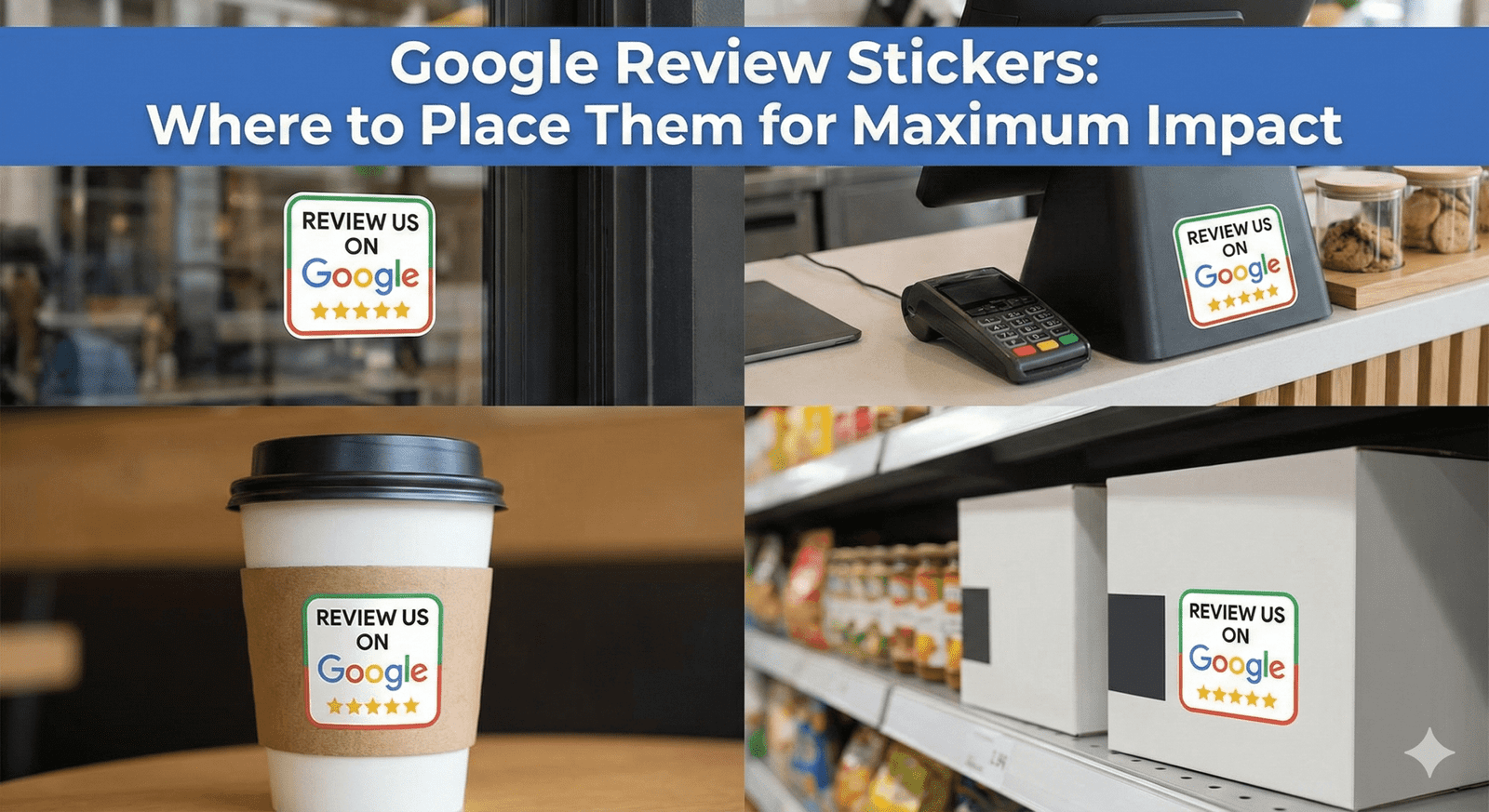
Put Google review stickers where customers naturally pause with their phone in hand: at the counter while they pay, at the table while they wait, and at the door on the way out. A sticker in the wrong place is just decoration; the same sticker at the right moment becomes an easy, unprompted way to leave a review. This guide covers the moments that matter, the best spots by business type, height and visibility, wording, and how to check whether a placement is working.
Start With the Customer's Pause Points
The best placement matches a moment when the customer is done, satisfied and briefly waiting. Walk through a visit as a customer would and note every point where they stand still for a few seconds — those are your candidate spots.
- The payment moment — the customer is already holding their phone or card and waiting for a receipt
- The waiting moment — at the table for the check, in the chair while color processes, in the lobby for a car
- The exit moment — at the door, when the visit is finished and the experience is fresh
- The private moment — a hotel room or treatment room, where nobody is watching them type
Top Placements in US Businesses
Front door at chest height — coffee shops, boutiques and bakeries; on the inside of the glass where people slow down to open the door.
Next to the Square, Clover or Toast terminal — quick-service restaurants and retail; on the counter beside the terminal, not on it, so it isn't mistaken for the contactless payment area.
Salon station mirror frame — hair, nail and brow studios; clients see it while the stylist finishes and can tap before they stand up.
Bedside table or desk — boutique inns, B&Bs and short-term rentals; guests have time to write a thoughtful review in private.
Inside the menu or check presenter — diners and bistros; it arrives exactly when guests are reviewing the meal in their heads anyway.
Waiting-area table — auto shops, clinics and dental offices; people are already on their phones while they wait.
| Business | Best spot | Why it works |
|---|---|---|
| Coffee shop | Pickup counter and door | Customers wait for their order, then leave |
| Restaurant | Check presenter or table | Guests reflect on the meal while paying |
| Salon or barbershop | Station mirror frame | Client is seated and happy with the result |
| Gym or studio | Front desk and locker area | Members linger before and after sessions |
| Auto shop | Waiting-area table and service counter | Customers wait for their vehicle |
| Hotel or B&B | Room desk or bedside | Private time to write a longer review |
Height, Visibility and Reach
A sticker should be easy to see and easy to touch without bending, stretching or reaching over equipment. Chest height on doors and walls, and the front edge of counters and tables, usually work best.
- Keep it within comfortable reach for seated customers and wheelchair users — the ADA's reach-range guidance for operable parts is between 15 and 48 inches above the floor, a sensible range to aim for
- Avoid corners hidden by tip jars, card readers or promotional displays
- Make sure the printed QR code faces the customer and isn't in glare from windows or downlights
- Keep it on a non-metal surface — metal interferes with the NFC antenna (see the best surfaces for review stickers)
How Many Stickers to Use
Use one sticker per pause point, not one per surface. A small café might use three — the door, the pickup counter and a shared table — while a restaurant may want one per table. Too many stickers in one area looks cluttered and makes each one easier to ignore. Our Google review stickers come in multi-packs, are waterproof, and arrive pre-programmed with your Google review link, so you can start with the obvious spots and add more if a new pause point appears.
Wording That Goes With the Sticker
A sticker works on its own, but a few words from staff make far more people use it. Keep both the printed line and the spoken ask short and neutral.
- On or near the sticker: "Tap or scan to leave us a Google review"
- At the counter: "If you have a second, tapping that sticker takes you straight to our Google reviews."
- At the table: "No pressure, but if you'd like to share how tonight went, the sticker on the menu goes straight to Google."
- Ask everyone the same way — Google's policy prohibits selectively asking only customers you expect to be positive
Placement Mistakes to Avoid
- Sticking it where staff stand rather than where customers stand
- Placing it on the payment terminal or a metal fixture
- Hiding it under a laminated sign, inside a thick display case or behind a screen
- Adding incentive wording such as "Review us for a free drink" — Google prohibits offering anything in exchange for a review
- Forgetting to test it after installing — tap with an iPhone and an Android phone, and scan the QR code
How to Tell Whether a Placement Is Working
Google doesn't tell you which sticker a reviewer tapped, so judge placements by simple observation. Watch whether customers notice the sticker, ask staff whether people mention it, and check your Google Business Profile for new reviews after you move one. If a sticker is consistently ignored, move it to a different pause point rather than adding more. For help with the spoken ask, see how to ask customers for Google reviews naturally.
❓ Frequently asked questions
How many NFC stickers does a café need?
Three is a common starting point: the front door, the pickup or payment counter, and a table where people sit. Add more only if you find another clear pause point.
What is the best height for a review sticker?
Chest height on doors and walls, or the front edge of a counter or table. Keep it within easy reach of seated customers and wheelchair users.
Should I put the sticker on the card machine?
No. Put it on the counter beside the terminal so customers don't confuse it with the contactless payment area.
Can I write "Review us for a discount" next to the sticker?
No. Google's policy prohibits offering incentives such as discounts or free items in exchange for a review. Keep the wording to a simple invitation.
Do customers need a special app to use the sticker?
No. Most current phones read NFC without an app, though Android phones need NFC switched on and iPhone 7 to X need the NFC tag reader in Control Center. The printed QR code works with any phone camera.
Related Guides & Tools
Hand-picked next reads for US small businesses growing their Google reviews.
Explore Our Products
Google Review Card
NFC tap cards that take customers straight to your Google review page.
Google Review Stand
Countertop stands perfect for restaurants, salons, and reception desks.
Google Review Plaque
Wall-mounted plaques that collect reviews in high-traffic areas.
Google Review Stickers
Peel-and-stick NFC stickers for windows, doors, and counters.
Google Review Keychains
Portable keychains your team can carry to collect reviews anywhere.
NFC Wristband
Wearable NFC wristbands for events, trade shows, and on-the-go reviews.
Related articles
Best Surfaces for NFC Google Review Stickers
Where you put a Google review sticker decides whether customers notice it. The best surfaces, the ones to avoid, placement ideas by business type, and how to apply a sticker so it stays put.
The Best Tools for Collecting Google Reviews
Review links, NFC cards, stands, plaques, stickers, keychains and wristbands each suit different moments. What each tool is good for and how to combine them.