Google Review Cards: A Small-Business Starter Kit
Key facts
- Method
- Opens a business review page; does not publish a review
- Choice
- Customer chooses whether to post and their own rating
- Ordering
- Check the selected product options and full terms
A small business can start with one tested review destination and a format that fits a real customer conversation. Choose a handheld card for appointments, a stand for a fixed counter, or a portable keychain for visits. You do not need every product, reseller membership or a promised review-growth target to begin.
A small business can start with one tested review destination and a format that fits a real customer conversation. Choose a handheld card for appointments, a stand for a fixed counter, or a portable keychain for visits. You do not need every product, reseller membership or a promised review-growth target to begin.
Choose one handoff before several products
A starter setup is a purchasing decision, not an industry playbook about getting more reviews. Identify the place where you already speak to a customer after service. Decide whether the prompt is held, fixed or carried away. Then choose a format for that interaction rather than filling every surface with review hardware. Keeping one destination and one item accurate is easier to organise than ordering an assortment without assigning anyone to use or maintain it.
| Typical interaction | Product to compare | Check before ordering |
|---|---|---|
| Salon or appointment checkout | NFC review card | Whether staff will keep and hand it over |
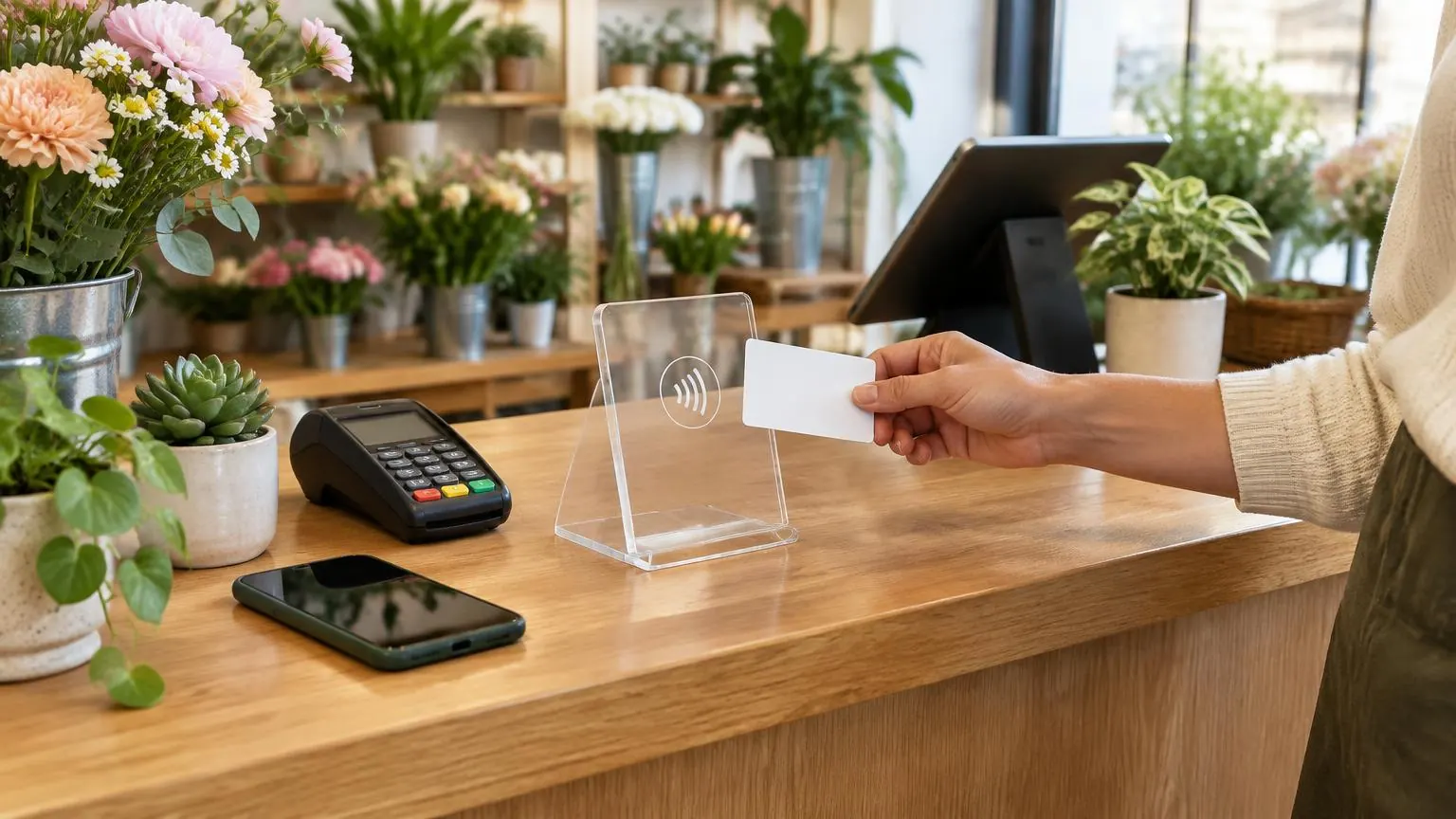
| Café or shop counter | Review stand | Space, phone access and chosen NFC/QR option |
| Reception entrance or fixed wall | Review plaque | Mounting surface and accessibility |
| Limited flat display space | Review sticker | Selected size, surface and QR inclusion |
| Mobile home-service visit | Card or keychain | Storage separate from tools and the correct profile |
| Event staff on the move | NFC wristband | Wearable format and the listed style |
A card is not automatically a display
A handheld card can be kept behind reception and presented during a conversation. A stand is designed for a counter or table and stays visible without being held. A plaque is a different fixed object; a sticker uses a suitable surface instead of adding another tabletop item. The catalog also includes keychains and wristbands for mobile use. Each opens a review destination, but their shapes answer different placement needs. Do not assume the least expensive item is the best physical fit.
Know what the starting option includes
The Simple card has NFC without a printed QR code. With QR adds the camera-scan route, while the named QR variants also include the business name. The smallest NFC (3CM) sticker differs from the 10CM packages, and only the specifically named NFC + QR package includes the printed QR feature. Review the selected option rather than reading an example photo as a promise that every version carries the same details. Your team should be able to explain the method it actually bought.
Set up a keeper, a location and a link record
- Choose the exact business location and test its review form.
- Assign one person to keep the link record current.
- Give the item a home at a counter, reception drawer or travel kit.
- Confirm staff know the NFC area and the printed QR method if included.
- Keep the request neutral and available to every customer.
- Recheck the destination after a profile or location change.
This does not need a complex training program. The practical explanation is that a tap or scan opens the business’s review page and the customer chooses their own rating and words. The customer needs an internet connection and a Google account to publish. They may choose not to review or to do it later. Do not ask staff to take over the phone, preselect a rating or offer something in return. A simpler routine can respect those choices without imposing a result.
Leave optional purchases until their purpose is clear
The Editable URL is a paid one-time lifetime option, not a requirement for the programmed destination to work. Reseller membership is another distinct purchase with its own fee and pricing rules. A small starter setup does not need either simply because they appear beside a product. First establish whether you need future link management or repeated eligible purchases. Use actual selected prices and delivery fees, not an invented estimate of extra revenue, to compare what you are committing to.
Before payment, read the delivery and return conditions. Personalised and programmed items have different return eligibility from non-customised goods. If a logo or other change is only available on request, confirm it rather than treating it as a standard included option. You can start with a smaller physical setup, or keep a tested paper QR prompt if it is already enough. The sensible starter kit is the one you can place, explain and maintain, not a bundle chosen for an unsupported growth promise.
Worked starter kit: a salon sharing a reception desk
Start with the appointment checkout interaction, not a purchase of every available format. A reusable card can live in a designated reception place and be presented by whichever staff member is finishing the conversation. Choose the actual option needed: Simple for NFC only, a QR-equipped variation for an additional camera method, or a named QR version when printed business identity matters. The staff do not need separate destinations simply because they share the card. The link should identify the relevant business location.
Test the link before ordering and the physical item after delivery. Tell the team where it belongs between conversations and explain that the customer controls whether to post. A neutral request is enough; no required rating or reward belongs in the routine. If a tested paper prompt in an existing holder already does the job, there is no requirement to replace it. The starter-kit choice is about a usable handoff and clear ownership, not evidence that salons need a particular quantity to achieve a review target.
Worked starter kit: a café or florist counter
For a shop with a stable counter, compare a stand against the existing layout. Choose a place a customer can approach without reaching across stock or payment equipment. Check the selected stand’s connection methods and size rather than assuming the lowest variation includes every feature pictured. A plaque or sticker answers a different mounting question, so consider them only when there is an actual suitable surface. The product names are not interchangeable even though they can open the same review destination.
Try paper first if the display requirement is still uncertain. A florist whose counter changes with seasonal arrangements may discover that a movable holder remains the simplest option. A café with a dedicated reception surface may prefer a stand that has an assigned home. Those are hypothetical placement decisions, not claims about either industry’s customer behavior. If you want nonstandard artwork, keep that request separate and confirm it. A small business can use a plain functional prompt without copying its entire brand identity onto the object.
Worked starter kit: a mobile service operator
A mobile operator should choose storage and presentation together. If a clean pocket is already part of the visit kit, a card may be easy to keep separate from equipment. If keys are the more reliable carry point, compare the listed keychain and its NFC-plus-QR features. Do not buy a fixed stand for an interaction that never uses a counter. A wearable item may fit a genuine staff need, but it is not compulsory because the business works away from an office.
Use the operator’s correct business profile rather than the customer’s address as the review destination. Test the handoff on a compatible phone, and remember that opening Google still requires internet and publishing requires the customer’s account. The customer may prefer to review later. Keep the usual appropriate follow-up process available rather than treating the physical prompt as the only route. There is no verified field lifespan or impact rating for a card or keychain here, so do not base a starter purchase on a fictional replacement interval.
A simple arrival and maintenance routine
Inspect what arrives against the selected format, color and print details. Open the expected link directly, then compare NFC and printed QR where included. Check the name of the business shown on the phone. If something disagrees, pause circulation and ask the team to investigate. Keep the order record and the observed issue instead of inventing a new return entitlement. The published policy matters because programmed and personalised items have specific conditions; an article is not a replacement for those terms.
Once accepted, put the prompt in its assigned place and make its keeper responsible for practical checks after changes. Recheck the destination after a move or profile change and reassign hardware when staff roles change. Review whether the setup remains accessible rather than measuring it against a promised review quota. Add another format only when another actual handoff needs it. One maintained prompt can be a complete starter arrangement, while several unassigned items can create confusion. Optional link management and membership should each have a separate purpose before becoming part of that plan.
Related buying decisions
For the wider topic, use the industries guides. Continue with Are Google Review Cards Worth It for Your Workflow? and Google Review Card Buying Checklist Before Payment. Check the selected product’s actual options and compare all six review products before ordering.
❓ Frequently asked questions
Does a small business need all six products?
No. Match one or a few actual customer interactions to suitable formats. There is no requirement to buy the whole range.
What suits a fixed checkout counter?
Compare a stand with your existing display. A card is for a handoff; a stand remains visible without needing to be held.
What suits a mobile visit?
A card or keychain can be carried to the customer. Choose a storage method and test the correct business destination.
Does Simple have a QR fallback?
No. The Simple card is NFC-only. Choose a QR-equipped card option if you want a printed camera-scan method.
Is reseller membership required to begin?
No. Membership is a separate lifetime purchase. It is not needed to use an ordinary programmed product.
Can I keep using a printed prompt?
Yes. A tested QR prompt can be enough if it suits the placement and your existing workflow.
Sources
Related articles
Are Google Review Cards Worth It for Your Workflow?
Google review cards can be worth buying when reusable hardware fits an in-person customer handoff and removes the need to find a link each time. They may not be worth buying if a tested paper QR prompt or direct message already suits the interaction. No extra review count, revenue or ranking is promised.
Google Review Card Buying Checklist Before Payment
Before paying for a Google review card, confirm the business destination, selected NFC and QR features, printed identity, full order price and return conditions. Keep the request neutral: invite an honest review without incentives or filtering. Do not assume a logo, editable link, delivery guarantee or promised review result is included.