Google Review Keychains for Mobile Businesses: Collect Reviews on Every Job
Key facts
- What it is
- A key fob with an NFC chip and a printed QR code that opens your Google review form
- Who it suits
- Businesses that work at the customer's address or from a vehicle
- iPhone support
- iPhone XS and later read NFC tags with no app, per Apple's Core NFC documentation
- Android support
- Phones with NFC switched on under Settings → Connected devices → Connection preferences → NFC
- Google's rule
- Ask every customer the same way; no incentives, no pressure, no selective asking
If you work out of a van or at the customer's address, there is no counter to put a review stand on. A Google review keychain carries the review link with you instead. Here is how it works and when to hand it over.
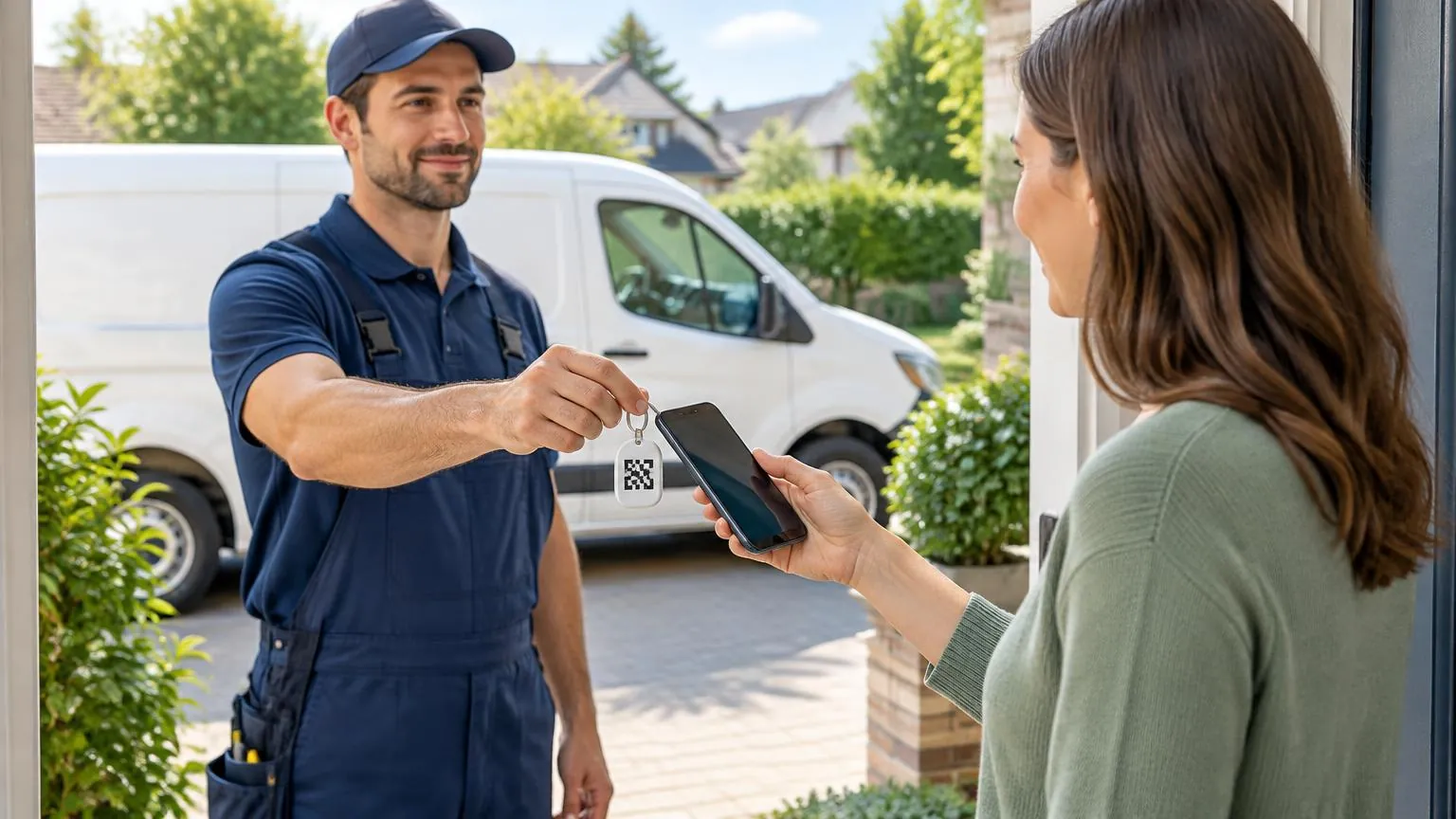
A Google review keychain is a small key fob with an NFC chip and a printed QR code, pre-programmed with your Google review link. When a customer taps it with their phone or scans the code, your review form opens and they write the review themselves. It suits plumbers, cleaners, mobile mechanics and anyone else who never works behind a counter.
What is a Google review keychain?
It is a review link in a physical form you can clip to your van keys or lanyard. The fob holds a passive NFC chip, so it needs no battery and no charging, and the same link is printed as a QR code for phones that cannot tap. Nothing is posted automatically: the customer picks their own star rating, writes their own words and submits from their own Google Account.
That matters for policy as well as for trust. Google's Business Profile help page on getting reviews says businesses can share a link or QR code to collect reviews, as long as the review reflects a genuine experience and nothing is offered in return. A keychain simply shortens the route from "would you mind leaving a review?" to the form itself. If you have never used one of these products, start with our overview of how Google review cards work and come back here for the mobile-business specifics.
Which mobile businesses use a review keychain?
Any business where the customer never visits your premises. A counter stand or window sticker does nothing for you if there is no counter and no window, so the review link has to travel with the person doing the work. Typical examples:
- Plumbers, electricians, HVAC technicians and handymen who finish the job in the customer's kitchen or basement.
- Mobile mechanics, detailers and windshield repair vans that work in the customer's driveway or office parking lot.
- House cleaners, carpet cleaners, pest control and lawn care crews who are in and out in an hour.
- Dog walkers, mobile groomers and pet sitters who hand the dog back at the front door.
- Mobile hairdressers, barbers, nail technicians and massage therapists who travel to the client.
- Movers, couriers, delivery drivers and junk removal teams who close the job at the curb.
- Personal trainers, tutors, music teachers and photographers who meet clients at a park, a home or a venue.
- Market traders, food trucks and pop-up stalls that pack down every evening.
Field crews with several technicians usually carry one fob each, all pointing at the same Business Profile. Our contractors field kit article covers how to equip a whole team.
How does a customer leave a review from a keychain?
The customer holds the top of their phone against the fob, taps the notification that appears, signs in to Google if they are not already signed in, and writes the review. The whole thing happens on their phone; you never touch it.
You hold out the keychain and ask for a review in plain words: "If you have a minute, a Google review really helps us. Just tap your phone here."
The customer holds the back of their phone against the fob. On most iPhones the NFC antenna is at the top edge; on most Android phones it is nearer the middle of the back.
A notification appears with your review link. The customer taps it and the Google review form opens in their browser.
If their phone does not react, they open the camera and point it at the printed QR code instead. The same form opens.
They choose a star rating, write their comment and submit. You can thank them and leave; the review posts from their Google Account, not from the fob.
Customers must be signed in to a Google Account to post a review. If the form asks them to sign in, that is normal and not a fault with the fob.
Which phones can tap a Google review keychain?
Recent iPhones and most Android phones. Apple's Core NFC documentation states that iPhone XS and later support background tag reading, which means the phone scans the tag and shows a notification without any app being open. Older iPhones with NFC hardware need an app to read a tag, so for those customers the printed QR code is the fallback.
Apple also lists moments when background reading is switched off even on a supported iPhone: when the phone has never been unlocked since restarting, when Apple Pay Wallet is in use, when the camera is open, and when Airplane Mode is on. If a customer's iPhone ignores the fob, ask them to close the camera and wake the phone, then try again.
On Android, NFC has to be switched on. Google's Pixel help page puts the toggle under Settings → Connected devices → Connection preferences → NFC → Use NFC; other manufacturers use similar wording. A few budget Android phones ship without NFC at all, which is the main reason to insist on a fob that also carries a QR code. Our guide to which phones can read NFC review cards lists the details by brand, and NFC review card not working: fixes walks through the usual failures.
Keychain, card, stand or sticker: which suits a business on the move?
For a mobile business the keychain is usually the right first purchase because it cannot be left behind. Cards work well too, but they end up in a wallet; stands and plaques need a fixed surface; stickers need something to stick to. The table shows how they compare.
| Keychain | Card | Stand or plaque | Sticker | |
|---|---|---|---|---|
| Where it lives | On your keys or lanyard | In a wallet or clipboard | On a counter or wall | On a van, toolbox or window |
| Risk of forgetting it | Low | Medium | Not portable | Not portable |
| Works without a counter | Yes | Yes | No | Only if the customer can reach the surface |
| Survives rain and knocks | Designed for daily carry | Yes, but can bend | Yes | Depends on surface |
| Typical use | Handover at the door or curb | Clipped to an invoice or quote | Shop, salon, reception | Van window at the job site |
Many mobile businesses end up with a fob for each technician plus a sticker on the van, so a customer who walks past the vehicle can scan while the crew is still working. Our comparison of stands, plaques and stickers goes deeper on the fixed-location options.
When should you hand over the keychain?
At the moment the job is finished and the customer has seen the result, before you load the van. That is when the experience is freshest and the customer is still standing with you. Waiting until an invoice email the next day works, but the response rate drops once you are out of sight.
- Finish the walkthrough first. Show the repaired tap, the clean carpet or the washed car, and confirm the customer is happy.
- Settle payment, then ask. A review request before the bill can feel like a condition of service.
- Ask every customer, not only the ones who seem pleased. Google's policy prohibits selectively soliciting positive reviews.
- Keep it to one ask. If the customer says they will do it later, give them the QR code on your invoice and leave it there.
- Never offer a discount, a free call-out or a gift for the review. Google treats incentivized reviews as fake engagement and removes them.
Our article on when to ask for a Google review covers timing for other business types, including those that see the customer again every month.
How do you set up and look after a review keychain?
Get your review link from your Business Profile, put it on the fob, test it on two phones and then keep testing it a few times a year. The setup takes a few minutes; the maintenance is a habit.
Open your Google Business Profile, select Read reviews, then Get more reviews, and copy the link. Google's help page notes the QR code can currently be generated on a computer browser only.
Order a fob that arrives pre-programmed with that link, such as the NFC Google Review Keychain, or write the link to a blank NFC tag yourself using the method in our NFC programming guide.
Test it with one iPhone and one Android phone before the first job. Tap, then scan the QR code, and check that the right business appears on the form.
Clip it to the keys you always carry, or to a lanyard or belt loop. Keep a spare in the van's glove box.
Re-test after any change to your Business Profile, such as a rebrand, an address change or a merged listing. A fob keeps pointing at the old link until you reprogram or replace it.
Hold the fob away from a thick bunch of metal keys when a customer taps it. Metal close to the chip can weaken the NFC signal, so pinch the fob between finger and thumb and present it on its own.
What are the rules when you ask on the doorstep?
The same rules that apply to a counter stand apply at the customer's front door. Google's Maps user-contributed content policy is the document that decides whether a review stays up, and it applies to how the review was requested as well as what it says.
- Reviews must reflect an actual experience with the business. Friends, family and employees reviewing you count as a conflict of interest.
- No payment, discounts, free goods or services for a review, for changing a review or for removing a negative one.
- Do not discourage or prohibit negative reviews, and do not pick and choose who gets asked.
- Do not require or pressure customers to leave a rating while you are on the premises. Ask once, hand over the fob, and let them decide.
- Do not set staff a quota of reviews or tell them what the reviews should say.
A keychain fits inside those rules because the customer controls everything after the tap. Keep the ask short, give the same ask to everyone and never link it to the price of the job.
This article summarizes Google's published policies and Apple and Google device documentation as of its publication date. It is general information, not legal advice, and policies can change. Check the linked sources for the current wording.
❓ Frequently asked questions
Does a Google review keychain need an app or a subscription?
No. The customer's phone reads the NFC chip or QR code with its built-in features, and the fob is bought once with no ongoing fee. The review link inside it is provided free by Google.
Will the keychain work if the customer's phone has no NFC?
Yes, through the printed QR code. The customer opens their camera, points it at the code and taps the link that appears. It opens the same Google review form.
Can one business use several keychains for different technicians?
Yes. Every fob can carry the same review link for one Business Profile, so a crew of five can each carry one and every review lands on the same listing.
Why does the customer's iPhone not react when they tap?
Apple says background tag reading needs an iPhone XS or later and is paused while the camera or Apple Pay Wallet is open, in Airplane Mode, or if the phone has not been unlocked since restarting. Ask them to close the camera, wake the phone and try again, or scan the QR code instead.
Is it allowed to ask for a review at the customer's house?
Yes. Google permits asking customers for reviews. It prohibits offering incentives, pressuring people to review on the spot, asking only happy customers and giving staff review quotas.
Sources
- Apple Developer Documentation: Adding Support for Background Tag Reading (Core NFC)
- Google Business Profile Help: Get reviews on Google
- Google Business Profile Help: Create a link or QR code to request reviews
- Google Maps user-contributed content policy
- Pixel Phone Help: Turn NFC on or off (Make contactless payments)
Related articles
Which Phones Have NFC? A Compatibility Guide for Review Cards
Almost every phone sold in the last few years can read an NFC review card, but not every phone behaves the same way. Here is which iPhones and Android phones read tags, how to check in thirty seconds, and what it means for the card on your counter.
NFC Review Card Not Working? How to Find and Fix the Cause
Most NFC review card problems come down to five things: the phone, the position, something blocking the signal, the chip, or the link. Here is how to tell which one you have and fix it in minutes.
Google Review Cards for Contractors: Field Kit
For contractors, compare a reusable review card with a keychain by how the team carries and presents it after a visit. Both can open the business review page; QR depends on the selected card option. Store the prompt separately from tools, test it on a phone and keep the customer’s choice voluntary.