Google Review Stand vs Plaque vs Sticker: Which Display Should You Buy?
Key facts
- Stand
- Freestanding acrylic for counters, reception desks and tables
- Plaque
- Mounts on a wall or door, or stands on a counter
- Sticker
- Waterproof vinyl for windows, doors, tables, vans and packaging
- NFC vs QR
- NFC needs a tap; a QR code works with any phone camera
- Google's rule
- Ask everyone the same way, with no incentive and no pressure on the premises
Stands, plaques and stickers all open the same Google review form. The right one depends on where customers pause, what surface you have and how many spots you need to cover.
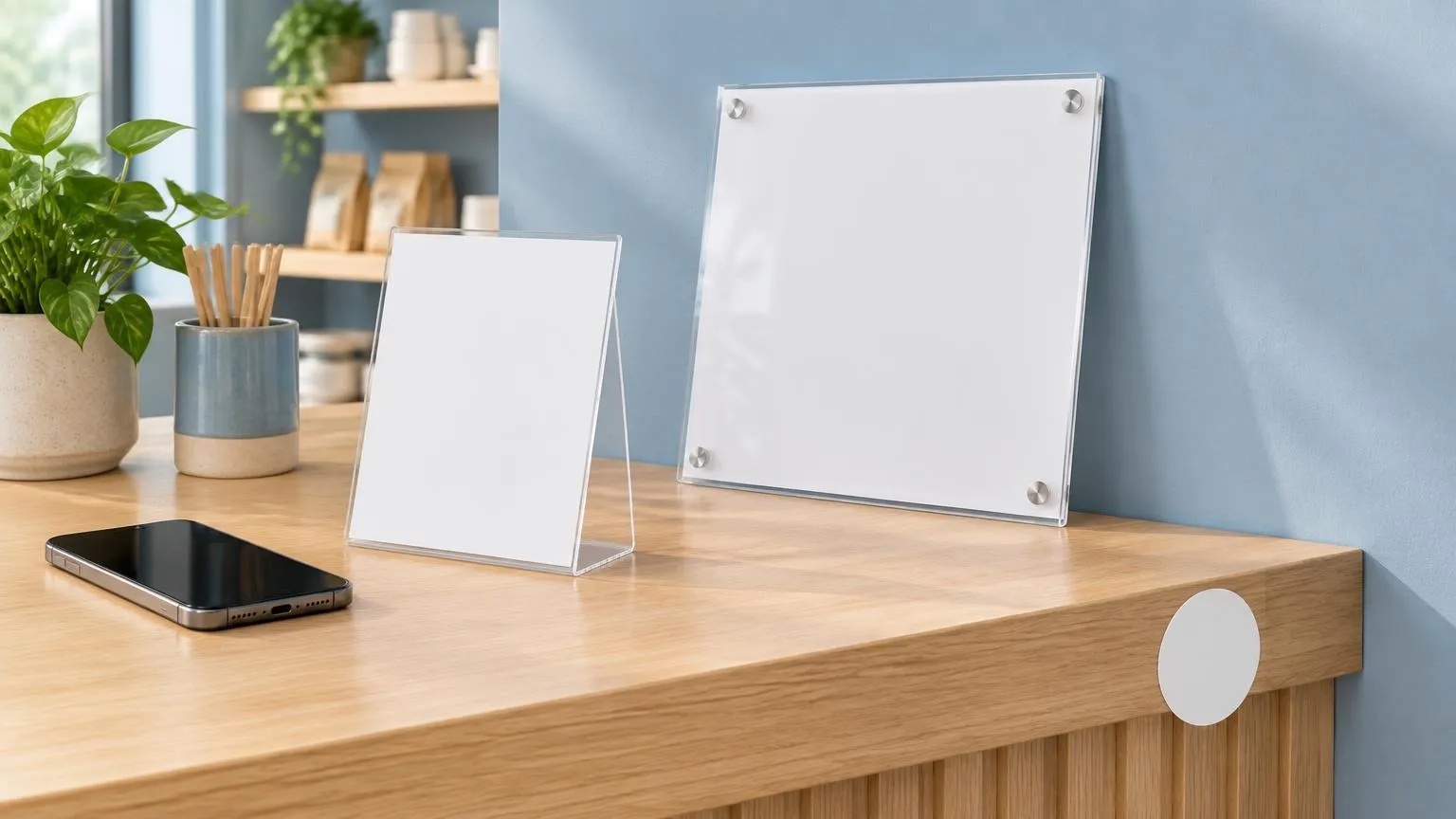
A Google review stand, a review plaque and a review sticker all do the same job: a customer taps or scans it and lands on your Google review form. The difference is where each one lives. A stand sits on a counter, a plaque fixes to a wall or door, and a sticker goes wherever nothing else will fit. Choose by where your customers naturally pause, not by price alone.
What is the difference between a review stand, a plaque and a sticker?
They differ in form, not in function. All three carry an NFC chip, usually with a printed QR code, that is pre-programmed with your Google review link. When a customer holds their phone to the chip or points the camera at the code, the review form opens. The customer then chooses their own star rating and writes their own words, exactly as they would after finding you on Google Maps.
- A Google review stand is a freestanding acrylic display, usually double-sided, meant for a counter, reception desk or table.
- A review plaque is a flat acrylic sign that mounts on a wall or door, or stands on a counter where you do not want a loose item.
- A review sticker is a waterproof vinyl label with the chip inside. It peels and sticks to a window, table, door, van or takeout bag.
Because the link is the same on all three, none of them changes what Google shows or how the review is treated. What changes is how often a customer sees the prompt at the moment they are happiest, which is usually when they pay, leave or receive their order. Our guide to review cards, stands, plaques and stickers covers each format in more depth.
When is a Google review stand the right choice?
A stand is the right choice when customers pay or wait at a fixed point and you want the prompt in their eyeline while they stand there. Checkout counters, salon reception desks, café tills, hotel front desks and clinic check-in windows all fit this pattern.
The strength of a stand is that it works without staff doing anything. The customer is already looking down at the counter, the card reader or the receipt, and the stand is in the same field of view. A double-sided design also means it reads from both the customer side and the staff side, so a team member can turn it and tap it with the customer when they ask for a review. The practical guidance in how to use Google review stands inside your store walks through placement spot by spot.
The weaknesses are just as practical. A stand takes up counter space, it can be knocked over or moved behind a display of gum and gift cards, and it only works at one point. If customers pay at a table or at a van, the stand stays behind at the till.
When is a wall-mounted review plaque the better option?
A plaque is the better option when you want the prompt to be permanent and out of the way, or when there is no counter at all. It is mounted at eye level by the door, next to the register, in a waiting room or at a gym check-in desk, so it cannot be moved, knocked over or tidied into a drawer.
Plaques suit businesses where customers leave through a known exit and pass a wall on the way: restaurants, dental and medical practices, barbers, offices and showrooms. The larger panel sizes are easier to spot from a few steps away, which matters when the customer is walking rather than standing still. The flip side is that a wall is further from the customer's hands than a counter, so the QR code does more of the work than the NFC chip. Mounting height and surface are covered in how to mount and display a Google review plaque.
Mount a plaque where customers pause, not where it looks tidy. Beside the exit door handle, next to the card reader or above the coat hooks beats a blank wall behind the counter.
When do Google review stickers make more sense?
Stickers make more sense when you need several small prompts in places a stand or plaque cannot go: café tables, shop windows, hotel room doors, delivery boxes, service vans and takeout bags. Being waterproof vinyl, they also handle outdoor and wipe-down surfaces that would scratch acrylic.
A small 3 cm NFC-only sticker is almost invisible on a table edge or a card terminal and is tapped rather than seen. A 10 cm sticker with a printed QR code is a visible prompt in its own right, closer to a mini plaque. Stickers are also the cheapest way to cover many spots at once, so a restaurant can put one on every table rather than one stand at the till. Surface advice is in best surfaces for Google review stickers.
Their drawbacks are that they are harder to remove cleanly, a metal surface can block the NFC signal unless the sticker is made for it, and a small sticker can be missed entirely unless staff point it out.
Stand vs plaque vs sticker: side-by-side comparison
| Review stand | Review plaque | Review sticker | |
|---|---|---|---|
| Where it goes | Counter, desk, table | Wall, door, or counter | Windows, tables, doors, vehicles, packaging |
| Material | Acrylic, double-sided | Acrylic panel | Waterproof vinyl |
| Fixing | Freestanding | Wall or door mount, or freestanding | Peel and stick |
| Outdoor use | No | Sheltered only | Yes |
| Visibility | High at the counter | High from a distance | Low (3 cm) to medium (10 cm) |
| Tap or scan | NFC, with QR on most options | NFC plus QR | NFC, with QR on the 10 cm option |
| Can be moved | Yes, easily | No once mounted | No without replacing it |
| Spots covered per unit | One | One | One, but cheap to multiply |
| Typical fit | Tills, reception, bars | Exits, waiting rooms, showrooms | Tables, vans, deliveries, windows |
Many businesses end up with a mix: one stand at the till, a plaque by the door and a sticker on each table or van. Because every unit opens the same review form, mixing formats does not split or confuse anything on Google's side.
Should the display use NFC, a QR code or both?
Both, if you can. NFC is quicker for the customer because a tap opens the link with no camera and no framing. A QR code works on any phone with a camera, including the few that still lack NFC, and it works from a distance, which is why it matters more on a wall plaque than on a counter stand.
Apple's iPhone guide states that the iPhone XR, XS and later models, plus the iPhone SE from the second generation, support NFC Tag Reader automatically, so a tap on the top edge of the phone opens the link. On the iPhone 7, 7 Plus, 8, 8 Plus and X, the customer first has to turn on NFC Tag Reader in Control Center. On Android, Google's help page puts the switch under Settings, then Connected devices, Connection preferences and NFC, and notes that if the NFC setting is missing the phone does not have NFC at all. That handful of customers is exactly who the printed QR code is for.
The NFC chip itself needs no battery and no charging, and the same chip can be rewritten later if your review link changes. A deeper comparison of tap versus scan is in NFC review cards vs QR review cards.
How do you set up a review stand, plaque or sticker in store?
Copy your review link from your Google Business Profile: select Read reviews, then Get more reviews, then the Copy icon. Google notes the matching QR code can currently only be generated on a computer browser, not on a phone.
Test the link in a private browser window. It should open the star-rating form for your business, not just your Maps listing.
Order the display pre-programmed with that link, or write the link to the chip yourself with a free NFC writing app if you bought a blank tag.
Place it where customers pause: a stand beside the card reader, a plaque at eye level by the exit, stickers on tables or packaging.
Tap and scan it with two different phones, one iPhone and one Android, before you rely on it.
Brief your team on a single sentence, such as asking whether the customer would mind leaving a Google review, said to everyone.
Pre-programmed displays from this site arrive with the chip already written to your review link, are sold at a one-time price with no subscription, and ship with tracked delivery. If you prefer to program your own, our guide to finding your Google review link explains how to build the link from a Place ID as well.
What does Google allow with in-store review displays?
Google allows businesses to ask customers for reviews with a link or QR code, and its own help page suggests printing the link or code and displaying it in store. The same rules apply to a stand, a plaque and a sticker. Google's Maps user-contributed content policy prohibits offering free or discounted goods or services in exchange for a review, discouraging negative reviews, and selectively soliciting positive reviews.
Two points matter specifically for physical displays. First, the policy says merchants should not require or pressure customers to leave ratings or write reviews while on the premises, so a display is an invitation the customer can ignore, not something staff stand over. Second, the customer must be signed in to their own Google Account to post, so the review always comes from their phone, never from a tablet you hand them. Our summary of Google's review policy for businesses covers the rest.
Do not put a discount, draw or freebie next to the review prompt. Under Google's policy an incentive makes the review fake and misleading content. In the US, the FTC's Consumer Reviews and Testimonials Rule, in force since October 21, 2024, also prohibits incentives that expressly or implicitly require a review to express a particular sentiment. See our FTC rule explainer. This article is general information, not legal advice.
So which should you buy?
Buy a stand if most customers pay at one counter and you want a prompt that works with no staff involvement. Buy a plaque if you want something permanent at the exit or in a waiting room, or if counter space is scarce. Buy stickers if the review moment happens at tables, in vans, on doorsteps or inside delivery boxes, or if you need many prompts cheaply. If you are unsure, start with one stand at the point of payment, watch where customers actually tap it, and add a plaque or stickers once you know where the prompt is missing.
❓ Frequently asked questions
Is a Google review stand or a plaque better for a counter?
A stand, in most cases. It sits in the customer's eyeline at the point of payment and can be turned toward them. A plaque wins when the counter is cluttered or you want a fixed prompt that cannot be moved.
Do review stickers work on metal surfaces?
Standard NFC stickers can struggle on bare metal because the metal interferes with the signal. Use a sticker made for metal, place it on a non-metal part of the surface, or rely on the printed QR code instead.
Do I need both NFC and a QR code on the display?
It is safer to have both. NFC is the fastest option for recent iPhones and most Android phones, while the QR code covers phones without NFC and customers who are standing further away, which is common with a wall plaque.
Can I use a stand, a plaque and stickers at the same time?
Yes. They all open the same Google review form, so mixing formats does not split your reviews. Many businesses use a stand at the till, a plaque by the door and stickers on tables or vehicles.
Is it allowed to display a review prompt in my store?
Yes. Google's help pages suggest printing your review link or QR code and displaying it in store. You must not offer an incentive, pressure customers to review on the premises, or ask only the customers you expect to be positive.
Sources
- Google Business Profile Help: Create a link or QR code to request reviews
- Google Business Profile Help: Get reviews on Google
- Google Maps user-contributed content policy
- Apple iPhone User Guide: Models that support NFC Tag Reader
- Google Pixel Help: Turn on NFC
- FTC: The Consumer Reviews and Testimonials Rule, Questions and Answers
Related articles
Review Cards vs Review Stands: Which Should Your Business Use?
Review cards suit a personal, staff-led ask; review stands sit on the counter for customers to use on their own. How each works, where each fits, and why many businesses use both.
Google Review Stand Placement: 5 Spots to Try
Where a Google review stand sits matters as much as how it looks. Five practical placement spots for restaurants, salons, clinics and shops, plus common mistakes to avoid.
How to Mount a Google Review Plaque: Placement Guide
A Google review plaque is a wall-mounted tap-and-scan point for your review page. Here's where to mount it, at what height, and how to keep it easy to use.