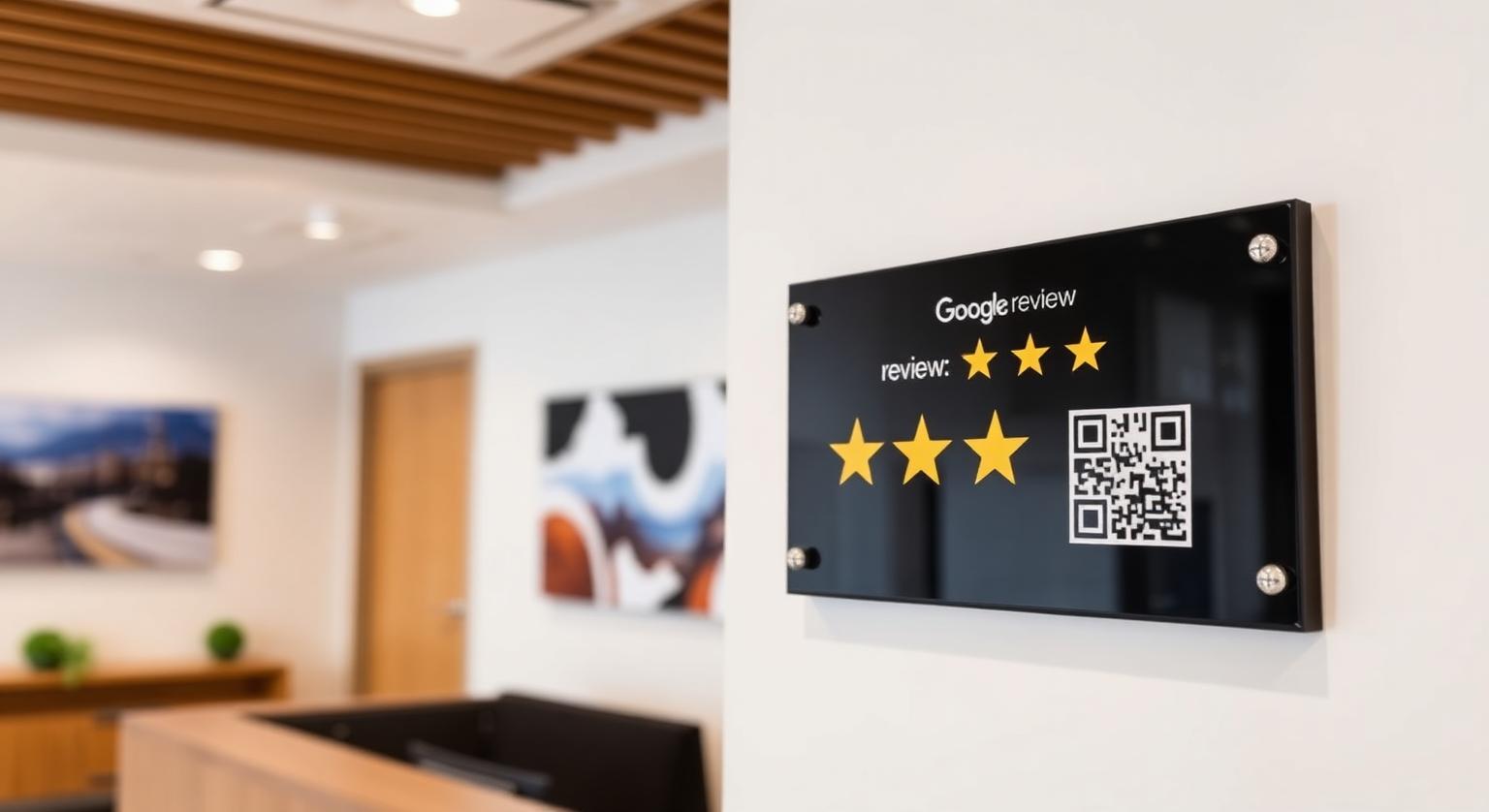
A Google review plaque gives customers a fixed spot on your wall or door where they can tap their phone, or scan a code, and land straight on your Google review page. Mount it where people naturally pause and it becomes a steady, low-effort reminder. Mount it in the wrong spot, too high, in a dark corner or behind clutter, and it rarely gets used. This guide covers where to put it, how to mount it, and how to get customers to use it.
What Is a Google Review Plaque?
Our Google review plaque is an acrylic sign with an NFC chip and a printed QR code, pre-programmed with your Google review link. It mounts on a wall or door, or stands on a counter.
When a customer taps their phone against the plaque or scans the code, your review page opens and they choose their own rating and write their own review. The chip has no battery and needs no charging. Unlike a review card, which staff hand over, the plaque stays in one place, so it works best where customers stop for a moment: by the exit, at reception, or beside the register. See the Google review plaque for sizes and colors.
A review plaque is good for:
- Giving every customer a visible, always-available way to leave a review
- Spots where there's no counter space for a stand, such as a door, wall or narrow reception area
- Backing up the verbal ask your team already makes
- Catching customers on the way out, after they've had the full experience
A review plaque is not:
- A replacement for asking: it works best when staff mention it
- A display of your star rating or review count; it opens your review page
- A guarantee of more reviews or a better ranking on its own
Where Should You Mount a Google Review Plaque?
Mount it where customers pause with a free hand, at a height they can comfortably reach with their phone, and in good light so the QR code is easy to scan.
- Beside the exit door, at hand height, so customers can tap on the way out
- On the wall behind or beside the reception desk, within reach of where people check out
- In the waiting area, facing the seating, so people waiting can tap or scan at their own pace
- Next to the register or card reader, if there's no room on the counter for a stand
- Beside the host stand at restaurants, where guests pass on their way out
- On the inside of a glass entrance door, facing customers as they leave
Placement rule: a customer should be able to reach the plaque with their phone without stretching, leaning over furniture or stepping into a walkway. If they can't, move it.
How to Mount a Google Review Plaque in 7 Steps
Choose the spot, test the tap, then fix it in place with mounting hardware suited to your wall or door.
Pick a clean, well-lit spot customers pass when they're finished, away from doorways that swing into it
Hold the plaque in position and tap it with an iPhone and an Android phone, and scan the QR code, to make sure your review page opens there
Set the height so the center sits comfortably within reach of a customer holding their phone, rather than at picture-frame height
Avoid mounting directly on metal surfaces, which can weaken or block the NFC signal; on a metal door, choose a nearby wall instead
For screw fixings, use a level, mark the holes and use drywall anchors where there's no stud; for adhesive, clean the surface with isopropyl alcohol first
Mount the plaque, press or tighten firmly, and check it sits straight
Tap-test once more after mounting, then brief staff on where it is so they can point customers to it
Common Mistakes With Review Plaques
- Mounting it in a hallway or near the restrooms, where nobody stops
- Hanging it so high that customers have to stretch to tap it
- Placing it on a cluttered wall where it competes with menus, posters and frames
- Mounting it on metal, which can interfere with the NFC tap
- Putting it in a dim corner where cameras struggle to scan the QR code
- Treating the plaque as a substitute for asking: it works best when staff point to it
Plaque vs Stand vs Card: What Each One Does
All three open the same Google review page; the difference is where they live and who starts the ask.
| Format | Where it goes | Best for |
|---|---|---|
| Review plaque | Wall, door or counter | Exits, reception walls and spots with no counter space |
| Review stand | Freestanding on a counter | Registers, pickup counters and front desks |
| Review card | Handed over by staff | One-to-one services, tables and home visits |
| Review sticker | Stuck to a counter, table, door or window | Tables and small surfaces where a stand won't fit |
Industries Where a Review Plaque Fits Well
- Restaurants and cafés: beside the host stand or the exit
- Salons and barbershops: on the wall by the front desk
- Dental and medical clinics: in the waiting room or by check-out
- Auto repair shops: in the customer waiting area
- Gyms and fitness studios: by the front desk or the exit
- Hotels and B&Bs: in the lobby near the front desk
How to Get Customers to Use the Plaque
Pair it with a short, neutral prompt from staff, used with every customer, and never offer anything in return.
- "If you have a second on the way out, you can tap your phone on the sign by the door to leave us a Google review."
- "Thanks for coming in today. The plaque by the desk opens our Google review page if you'd like to share your experience."
- If someone's phone doesn't respond to the tap, point them to the QR code, which works with any phone camera
A plaque that simply opens your review page, with no incentive or filtering, fits Google's policy. Google prohibits offering anything in exchange for reviews and selectively asking only happy customers, and in the US the FTC's rule on consumer reviews and testimonials bans fake reviews and review suppression.
For more ideas on in-store placement, see how to use review plaques to improve in-store social proof.
❓ Frequently asked questions
Where should I mount a Google review plaque?
Somewhere customers pause with a free hand, such as beside the exit, at reception or near the register, at a height they can comfortably reach with their phone. Avoid hallways, dim corners and cluttered walls.
Does a Google review plaque help my business get more reviews?
It can, because it gives every customer an easy way to open your review page. It works best when staff mention it, and no plaque can guarantee a specific number of reviews.
Can I mount a review plaque on a metal door or wall?
It's best not to, because metal can weaken or block the NFC signal. Choose a nearby non-metal wall, or tap-test carefully before fixing it in place.
Is a Google review plaque allowed under Google's policies?
Yes. A plaque that simply opens your review page, with no incentive or filtering, fits Google's policy, as long as you ask every customer and never offer anything in return.
How do I mount a review plaque without damaging the wall?
Use adhesive strips rated for the plaque's weight on a clean, smooth surface, wiping it with isopropyl alcohol first. For a more permanent fix, use screws with drywall anchors or into a stud.
Which phones can tap a review plaque?
iPhone 7 and later can read NFC tags, with iPhone XS, XR and later reading them without opening anything; iPhone 7 to X use the NFC tag reader in Control Center. Android phones need NFC switched on, and the printed QR code works with any phone camera.
Does a Google review plaque help me get more reviews?
It gives customers an easy, always-visible way to reach your review page by tapping or scanning. Whether it leads to more reviews depends on where it's placed and whether your team mentions it.
Where should I not mount a review plaque?
Avoid spots customers rarely see, places too high to reach with a phone, cluttered walls and surfaces made of metal. Restrooms and back corridors are also poor choices.
What height is best for mounting?
Choose a height most adults can reach comfortably with a phone, roughly chest to eye level. Customers need to hold their phone close to tap it.
Can I mount a plaque on glass or brick?
Yes, as long as you use fixings suited to that surface and mount it level. Test the tap and QR code once it's in place.
Does a plaque need updating?
The plaque itself doesn't show a rating, so it doesn't need updating as reviews come in. If your review link changes, the editable-link add-on lets you update the destination without a new plaque.
Does a plaque work for service-area businesses?
Plaques suit places with walk-in customers, such as restaurants, clinics, salons, hotels and shops. Businesses that visit customers on site usually find cards or keychains more practical.
Related Guides & Tools
Hand-picked next reads for US small businesses growing their Google reviews.
Explore Our Products
Google Review Card
NFC tap cards that take customers straight to your Google review page.
Google Review Stand
Countertop stands perfect for restaurants, salons, and reception desks.
Google Review Plaque
Wall-mounted plaques that collect reviews in high-traffic areas.
Google Review Stickers
Peel-and-stick NFC stickers for windows, doors, and counters.
Google Review Keychains
Portable keychains your team can carry to collect reviews anywhere.
NFC Wristband
Wearable NFC wristbands for events, trade shows, and on-the-go reviews.
Related articles
How to Use Review Plaques to Improve In-Store Social Proof
A Google review plaque on the wall tells visitors you welcome feedback and gives them an easy way to leave it. How plaques support in-store social proof, where to put them and what to avoid.
Review Cards vs Review Stands: Which Should Your Business Use?
Review cards suit a personal, staff-led ask; review stands sit on the counter for customers to use on their own. How each works, where each fits, and why many businesses use both.