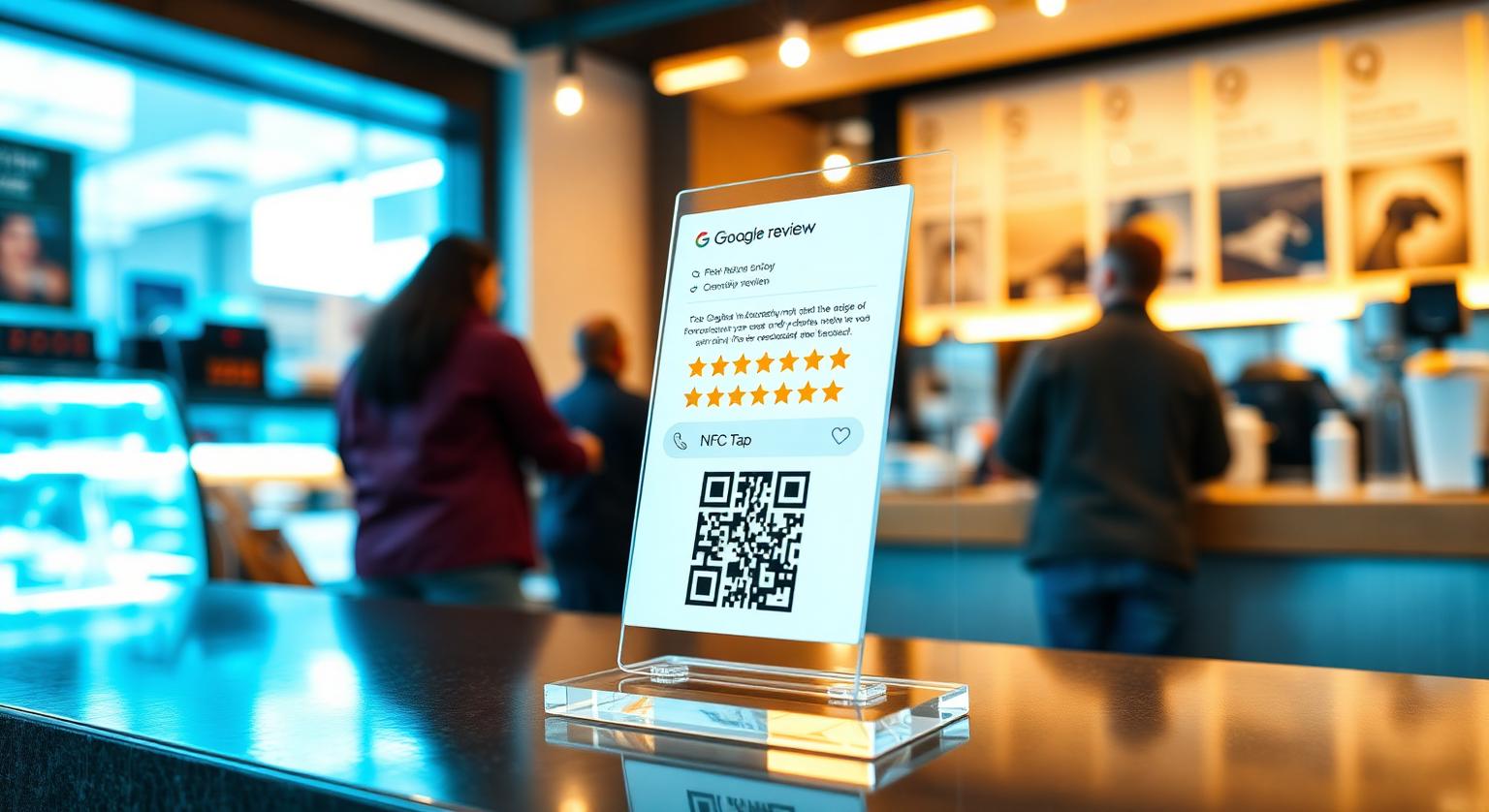
In many Indian businesses, the natural pause for a review isn't during the meal or appointment. It's at the billing counter, while the customer waits for a UPI payment to confirm. That short wait is a good moment to invite feedback, and many owners miss it.
A Google review stand placed where customers already pause can turn that moment into an easy tap or scan. Placed out of sight, it becomes another piece of acrylic nobody notices. The same placement principles apply to cafés, dental clinics and salons alike.
A Google review stand on the billing counter is a low-cost, always-on prompt for an Indian shop — but only if it's placed where customers look and staff mention it. Whether you run a biryani house in Hyderabad, a salon in Bandra, a dental clinic in Pune, an AC service desk in Delhi or a kirana store in Coimbatore, the biggest factor is usually a simple one: where on the counter the stand sits.
Why a Stand Works Well Inside an Indian Shop
A stand keeps asking for reviews when no one at the counter has time to. An NFC Google review card works best at handoff — a waiter, stylist or technician passes one over — but in a busy outlet no one is free at the billing counter every minute. A Google review stand sits beside the UPI QR or card machine and quietly makes the same invitation to every customer.
What a stand adds that a handheld card alone can't:
- It stays in place every shift, even when staff forget to ask
- It's visible to everyone at the counter, so customers know reviews are welcome
- It can't be pocketed or lost during an evening rush
- It reaches pickup customers and walk-outs who don't talk to staff
- It pairs an NFC tap with a printed QR code, so customers whose phones lack NFC, or have it switched off, can still scan with the camera
Best Placement Inside an Indian Outlet
Put the stand where the customer is already looking at the moment they finish paying. In most Indian shops, that means right beside the UPI QR code.
Next to the UPI QR or card machine at the billing counter — at eye level, where the customer looks as PhonePe, Google Pay or Paytm confirms the payment.
On the pickup counter at restaurants, cafés, sweet shops and bakeries, where customers wait for their parcel.
At the host stand of full-service restaurants, where guests wait for a table.
On the reception desk of salons, dental clinics, diagnostic labs and aesthetic clinics — facing customers at check-out, not check-in.
Beside the service adviser at car and bike service centres, RO and AC service desks — where the customer signs the bill.
On the customer-facing side of the counter at chemists, mobile shops, electronics stores, kirana stores and supermarket billing lanes.
Keep the stand close to the payment point and clear of clutter. If customers have to search for it, most won't.
How to Set Up a Google Review Stand
Setup takes a few minutes because the stand arrives pre-programmed with your Google review link. Your job is to check it, place it and brief your team.
Before ordering, find your review link in Google Business Profile (Read reviews → Get more reviews). See how to find your Google review link.
When the stand arrives, test it: tap it with an NFC-enabled phone and scan the QR code with a phone camera. Both should open your review form.
Place it beside your UPI QR or card machine — not behind glass or under the counter lip.
Brief the team in Hindi or your local language with one line, for example: 'Bill ke baad customer ko stand dikha do — bas tap karke review de sakte hain.'
Check your Google Business Profile regularly in the first few weeks and reply to new reviews.
What to Put on the Stand
Keep the wording short, honest and neutral. One clear call to action does more than a crowded design.
- Headline: 'Tap or scan to leave a Google review' — English works for many customers; add a line in Hindi or your regional language if that suits your customers
- Sub-line: a simple, honest request such as 'Your feedback helps our small business'
- Your business name, so customers know which profile they're reviewing
- A clear tap icon and a QR code large enough to scan from arm's length
- No wording that asks only for five-star reviews or hints at a reward
Indian Businesses Where Stands Fit Naturally
Stands suit any business with a fixed counter or desk where customers pause to pay or check out.
- Restaurants, cafés, biryani houses, sweet shops and bakeries — billing or pickup counter
- Salons, barbers, nail studios, aesthetic clinics and spas — reception at check-out
- Dental clinics, polyclinics, diagnostic labs and eye clinics — front desk at the end of the appointment
- Car and bike service centres, RO and AC service desks — at job completion
- Chemists, mobile shops, electronics stores and opticians — beside the billing machine
- Boutiques, gift shops, saree and jewellery showrooms — at the billing counter
- CA offices, coaching institutes and property consultants — at the reception desk
Mistakes That Stop a Stand Working
Most stands fail because they're hidden or never mentioned. A few habits can also put you on the wrong side of Google's rules.
- Placing it behind the counter where customers can't reach it
- Burying it under MRP charts, festival flyers or visiting cards
- Never mentioning it — a short spoken prompt from staff makes a stand far more noticeable
- Offering free items, discounts or cashback for a review — Google's policy prohibits incentives for reviews
- Asking only happy customers to use it — Google prohibits selectively soliciting positive reviews
- Ignoring new reviews — Google says replying shows customers you value their feedback
Rules note: Google's review policy bans incentives, review gating and reviews from staff or owners. In India, the Central Consumer Protection Authority (CCPA) acts on misleading practices under the Consumer Protection Act, 2019, and the Bureau of Indian Standards has published IS 19000:2022 on online consumer reviews. A stand that simply opens your review page, with no incentive or filtering, fits Google's policy. See are review cards allowed by Google?
Stand vs Card vs Plaque — What Works Inside Indian Shops
Each format suits a different moment. Many shops use a stand at billing plus one other format.
| Format | Best moment | Good fit for |
|---|---|---|
| Counter stand | At payment, beside the UPI QR | Restaurants, retail, chemists, kirana stores |
| Review card | Handed over by staff at the end of a service | Salons, clinics, home-service technicians |
| Wall plaque | While customers wait or queue | Clinics, gyms, salons with waiting areas |
First-Month Plan for Using a Review Stand
Week 1: Order one stand per billing counter and test the tap and QR when they arrive.
Week 2: Place each stand beside the UPI QR or card machine and brief every shift in the local language.
Week 3: Check new reviews in Google Business Profile and reply to each one, positive or negative.
Week 4: Compare your review flow with the previous month and adjust placement or the staff prompt if the stand isn't being noticed.
Summary for Indian Shop Owners
A review stand is a constant, visible invitation at the moment a customer is already looking at the counter. Place it beside your UPI QR or card machine, pair it with a one-line staff prompt in the local language, ask every customer rather than only happy ones, and reply to reviews promptly.
❓ Frequently asked questions
Where should I place a Google review stand inside my Indian shop?
Right beside the UPI QR or card machine at the billing counter, on the pickup counter at restaurants and cafés, or on the reception desk of salons and clinics at check-out. Placing it at the payment moment means customers see it without searching.
How much does a Google review stand cost in India?
Prices vary and change over time, so [see current prices](/product/google-review-stands) on the product page. It's a one-off purchase with no subscription, and it arrives pre-programmed with your Google review link.
Are Google review stands allowed in India?
Yes, as long as you don't offer an incentive or ask only happy customers. Google's policy bans rewards for reviews and selective solicitation, and the CCPA acts on misleading practices under the Consumer Protection Act, 2019. A stand that simply opens your review page fits Google's policy.
Do Google review stands work with all Indian smartphones?
iPhone 7 and later can read NFC tags; iPhone XS/XR and later read them from the lock screen, while iPhone 7–X need the NFC tag reader in Control Centre. Android phones need NFC switched on. The printed QR code works with any phone camera.
How many Google review stands does an Indian outlet need?
Usually one per billing or pickup counter. Larger stores with several billing lanes may want one at each lane.
How fast will I see results from a Google review stand?
There's no fixed timeline. It depends on your footfall and how consistently staff mention the stand at billing.
Where should I put my Google review stand?
The checkout counter or reception desk is usually the best starting point. Customers pause there near the end of their visit, often with their phone already out.
Do Google review stands work without staff involvement?
A stand is visible without anyone handing it over, so customers can use it on their own. A brief, friendly mention from staff can help more people notice it.
How many reviews will one stand bring in?
There's no reliable typical figure. It depends on your footfall, where the stand sits and whether staff mention it, so track your own review count before and after.
Should I choose a stand with NFC or QR only?
A stand with both covers more customers. NFC suits phones that can tap, and the printed QR code works with any phone camera.
How often should I move the stand?
There's no set schedule. If it seems to have blended into the background, try a different visible spot and see whether more customers use it.
Can I use a review stand alongside cards and plaques?
Yes. A stand covers a fixed counter, cards can be handed to customers, and a wall plaque gives another visible tap-or-scan point.
Related Guides & Tools
Hand-picked next reads for Indian small businesses growing their Google reviews.
Explore Our Products
Google Review Card
NFC tap cards that take customers straight to your Google review page.
Google Review Stand
Countertop stands perfect for restaurants, salons, and reception desks.
Google Review Plaque
Wall-mounted plaques that collect reviews in high-traffic areas.
Google Review Stickers
Peel-and-stick NFC stickers for windows, doors, and counters.
Google Review Keychains
Portable keychains your team can carry to collect reviews anywhere.
NFC Wristband
Wearable NFC wristbands for events, trade shows, and on-the-go reviews.
Related articles
Review Cards vs Review Stands: Which Should Your Business Use?
Review cards suit a personal, staff-led ask; review stands sit on the counter for customers to use on their own. How each works, where each fits, and why many businesses use both.
What's the Best Place to Put Google Review Stands?
Where you put a review stand matters as much as the stand itself. Here's how to choose a spot customers will actually notice and use.
Google Review Tap Tag Setup Instructions: Step-by-Step Guide
How to set up an NFC Google review tap tag: find your review link before ordering, test the tap and the QR backup when it arrives, place it well, and fix the most common issues.