Best Google Review Card Designs: Layout and Design Tips
A clear call to action, simple layout and an obvious tap or scan point matter more than decoration. Practical design tips for NFC Google review cards, plus mistakes to avoid.
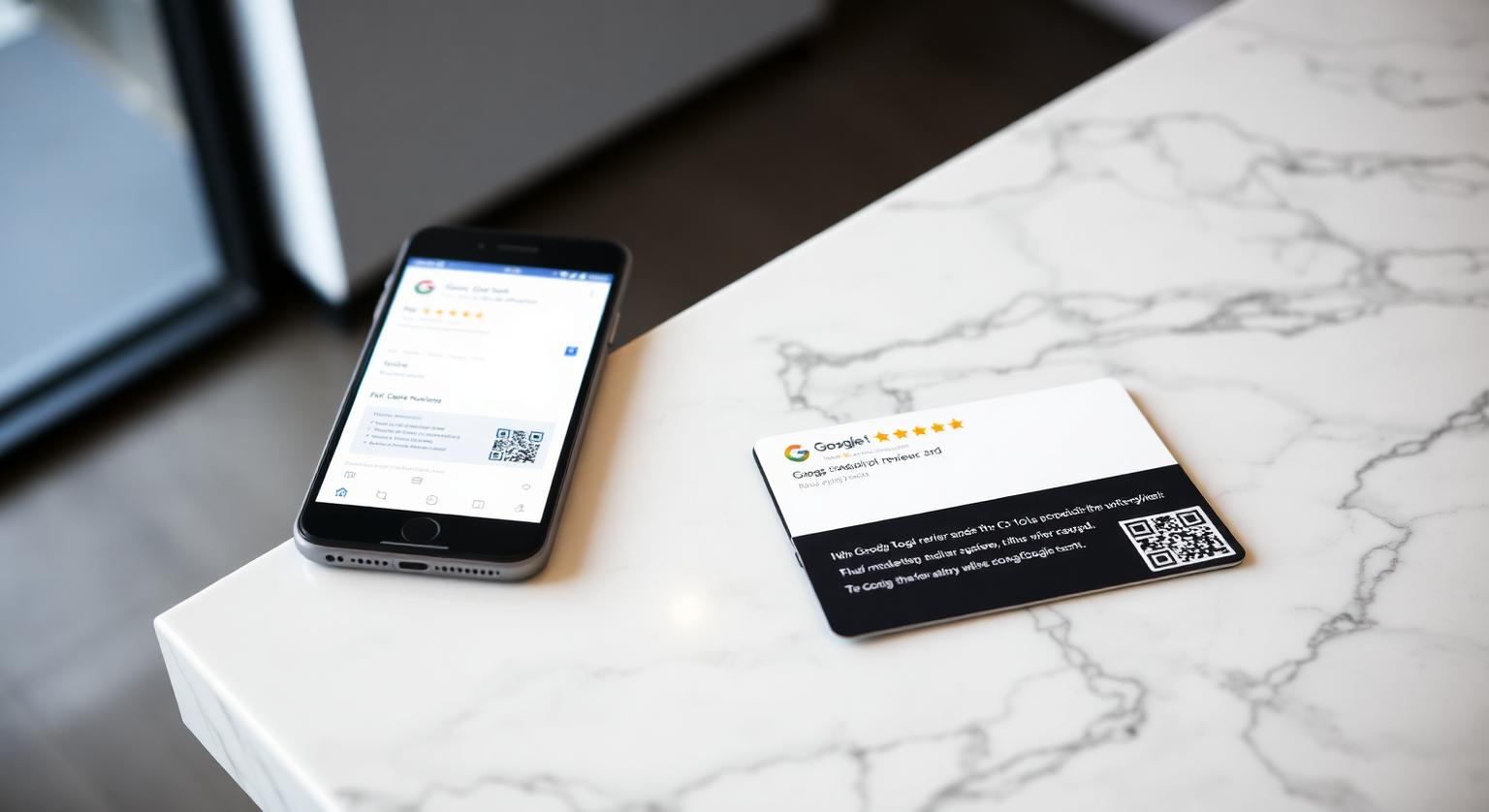
The Google review card designs that work best for Australian businesses aren't the flashiest — they're the ones a customer understands at a glance at a busy counter. Whether you run a café in Sydney, a salon in Melbourne, a trades business on the Gold Coast, a dental clinic in Brisbane or a surf shop in a regional town, the same principles apply: one clear call to action, colours that match your shopfront, and both NFC and a printed QR code so every customer has a way in.
Why Card Design Matters at the Counter
Design decides whether a card gets picked up at all. A cluttered card with small print gets ignored next to the EFTPOS terminal; a clean card with one obvious instruction invites a tap. Australians are used to tapping to pay, so a card that clearly looks like it's meant to be tapped feels familiar rather than confusing.
What separates a card customers use from one they ignore:
- A single, plain call to action — "Tap to leave us a quick Google review" is clearer than clever copy
- Colours that match your shopfront, signage or uniforms, so the card looks like part of the business rather than a stock template
- A clean layout with plenty of space around the instruction and the QR code
- A sturdy, wallet-sized card — our NFC Google review cards are credit-card size in white or black 600gsm PVC, which suits most brands
- NFC plus a printed QR code: iPhone 7 and later can read NFC tags, Android phones need NFC switched on, and the QR code works with any phone camera
Seven Design Directions That Suit Australian Businesses
Black card, light lettering — premium services such as cosmetic dentists, aesthetic clinics, buyer's agents and accountants. Keep the layout minimal so the call to action stands out.
White card, Google-style colours — cafés, brunch spots, bakeries, fish and chip shops and bottle shops. High contrast reads from across a busy counter and matches the Google screen customers land on.
Logo-led minimal — boutique wineries, farm-gate shops and accommodation hosts. Your logo, business name and one line of text; nothing else competing for attention.
High-contrast with a generous QR code — electricians, plumbers, HVAC technicians, mobile mechanics and pest controllers. Easy to read at a customer's front door and slim enough to keep in a wallet or the glovebox.
One bold brand colour — gyms, fitness studios, personal trainers, nail bars, beauty therapists and tattoo studios. A single strong colour stands out on a busy reception desk.
Soft, friendly palette — paediatric dentists, family GP clinics, kids' hair salons and childcare centres. Gentle colours and simple wording suit family-facing businesses.
Unbranded card — coffee carts, food trucks and market stalls that just need something quick to hand over. It still opens your own Google review page.
Counter test: hand the card to a few customers without explaining it. If they understand what to do straight away, the design works. If they hesitate or turn it over looking for instructions, simplify the wording before you reorder.
Choosing Your Card and How Many to Order
Most single-site businesses start with a few cards — one at the till, one at the pass or reception, and spares for staff who hand cards over at the table or on the job. Multi-site operators usually order a set per location so each store points to its own Google Business Profile. Every card arrives pre-programmed with your Google review link, and an optional editable-link add-on lets you change the link later without reprinting. Prices are in Australian dollars and change from time to time, so see current prices rather than relying on a figure quoted in a blog post.
Cards Compared With Other Review Tools
A card works best when someone hands it over; fixed displays work best where customers wait or pay. Many businesses use a mix.
- NFC Google review card — ideal for a personal handover at the counter, table or front door
- Google review stand on the counter — suits high-footfall cafés and shops where staff are busy
- Wall-mounted Google review plaque — a visible reminder in waiting areas and near the entrance
- Review sticker on the door or window — a low-key prompt for foot-traffic shops
- Email or SMS review links — useful after appointments, though easier to ignore than an in-person prompt
Design Mistakes to Avoid
- Two calls to action on one card — asking for an Instagram follow and a Google review splits attention
- Offering a free coffee or a drink for a review — Google's policy prohibits incentives for reviews of any kind
- A QR code that's too small — keep it large enough to scan comfortably and test it under your own lighting
- Generic stock images instead of your own branding — the card starts to look like a flyer and gets binned
- Low-contrast or tiny text — if customers have to squint, they won't bother
How to Design Your Own Google Review Card
Pick one call to action — "Tap to leave us a quick Google review" is hard to misread.
Match the card to your shopfront — same main colour and a similar font to your signage.
Keep your business name and logo prominent so customers know which business they're reviewing.
Choose NFC plus a printed QR code so customers with any phone can use it.
Tap and scan the card yourself when it arrives to confirm it opens your Google review page.
Place cards at every point where customers say goodbye — till, pass, service desk, front door.
Australian Industries Where Design Matters Most
- Cafés, brunch spots, bakeries, bottle shops, fish and chip shops — counter handover
- Salons, barbers, nail bars, aesthetic clinics, tattoo studios — handover at reception
- Dental clinics, GP practices, physios, chiropractors — front desk at checkout
- Real estate agents, mortgage brokers, conveyancers, accountants — at settlement or the final meeting
- Electricians, plumbers, HVAC technicians, mobile mechanics, pest controllers — at job completion
- Auto repairers, smash repairers, tyre fitters — at the service desk
- Wineries, eco-stays and short-stay hosts — at check-out or in the room
A card that's easy to understand and easy to tap removes friction from the ask. It won't change how good your service is, but it can make it easier for happy customers to follow through.
What's Changing in Review Card Design
A few trends are worth noting. Customers now expect tap interactions everywhere, so a card that clearly signals "tap here" feels natural. Multi-site groups increasingly standardise card design across stores so the brand looks consistent. And because reviews that describe a specific service are more useful to future customers, staff often add a light prompt such as "feel free to mention what you had done today" — always optional, and never telling customers what rating to give or what to write.
Order, Place, Review — A Simple First Month
Week 1: Order cards matched to your shopfront and check each one with your own phone.
Week 2: Place them at every goodbye point and brief each shift with one friendly line.
Week 3: Check new reviews in your Google Business Profile and reply to each one.
Week 4: Move cards that aren't being used to busier spots, and refresh the staff prompt if it has slipped.
Getting Started
Choose a clean call to action, match your shopfront, use NFC plus a printed QR code, and place the card where customers say goodbye. Then reply to the reviews that come in. If you're new to the product, read how Google review cards work before you order.
❓ Frequently asked questions
What is a good Google review card design for an Australian small business?
A clean white or black card with one clear call to action such as "Tap to leave us a quick Google review", your brand colours, your business name, and both NFC and a printed QR code.
How much does an NFC Google review card cost in Australia?
Prices are listed in Australian dollars on the product page and can change, so check there for current pricing. It's a one-off purchase with no subscription.
Are NFC Google review cards allowed under Australian Consumer Law?
A card that simply opens your review page, with no incentive or filtering, fits Google's policy. Australian Consumer Law prohibits misleading or deceptive conduct, which can include fake reviews, and the ACCC publishes guidance on online reviews for businesses.
Which Australian industries suit designed Google review cards?
Cafés, salons, dental and allied-health clinics, trades, real estate teams and wineries suit them well, because customers pass a checkout, reception or handover point where a card can be offered.
Do Google review cards work with iPhones and Android phones?
iPhone 7 and later can read NFC tags; iPhone XS, XR and later read them in the background, while iPhone 7 to X use the NFC tag reader in Control Centre. Android phones need NFC switched on, and the printed QR code works with any phone camera.
How many Google review cards does a typical business need?
Most single-site businesses start with a few — one at each till or reception point plus spares for staff. Multi-site operators usually order a set per location so each store links to its own profile.
Does Google review card design affect how many people use it?
It can. A card with one clear call to action and an obvious tap point is easier to act on than a cluttered one, though results depend on your customers and how the card is offered.
Is a minimalist design better than a heavily branded one?
For most businesses, a simple layout works well because the action is obvious. You can still add your business name or logo as long as the review call to action stays prominent.
Should I include star icons on the card?
Stars are fine as a visual cue that the card is about reviews. Don't ask for a specific rating or for positive reviews only, because Google's policy prohibits selectively soliciting positive reviews.
Should the card mention Google?
Yes. Customers like to know where a link will take them, and naming Google makes the destination clear.
Do I still need a QR code if my card has NFC?
It's a useful backup. iPhone 7 and later and Android phones with NFC switched on can read the chip, and a printed QR code works with any phone camera.
What are your Google review cards made of?
Our review cards are credit-card size and made from 600gsm PVC in white or black, with a passive NFC chip inside. You can add a printed QR code and your business name, or choose an unbranded card.
Can one card design work in different countries?
Yes. The card simply opens your Google review link, so the same layout works anywhere. Businesses that serve customers in more than one language sometimes add a second-language line.
Related Guides & Tools
Hand-picked next reads for Australian small businesses growing their Google reviews.
Explore Our Products
Google Review Card
NFC tap cards that take customers straight to your Google review page.
Google Review Stand
Countertop stands perfect for restaurants, salons, and reception desks.
Google Review Plaque
Wall-mounted plaques that collect reviews in high-traffic areas.
Google Review Stickers
Peel-and-stick NFC stickers for windows, doors, and counters.
Google Review Keychains
Portable keychains your team can carry to collect reviews anywhere.
NFC Wristband
Wearable NFC wristbands for events, trade shows, and on-the-go reviews.
Related articles
NFC Review Cards vs QR Review Cards – Which Gets More Reviews?
How an NFC tap compares with a QR scan for collecting Google reviews — and why many businesses use both on the same card.
What Is a Google Review Card? (Full Guide + How It Works)
What a Google review card is, how the NFC tap and QR code work, and why it makes leaving a review easier for your customers.