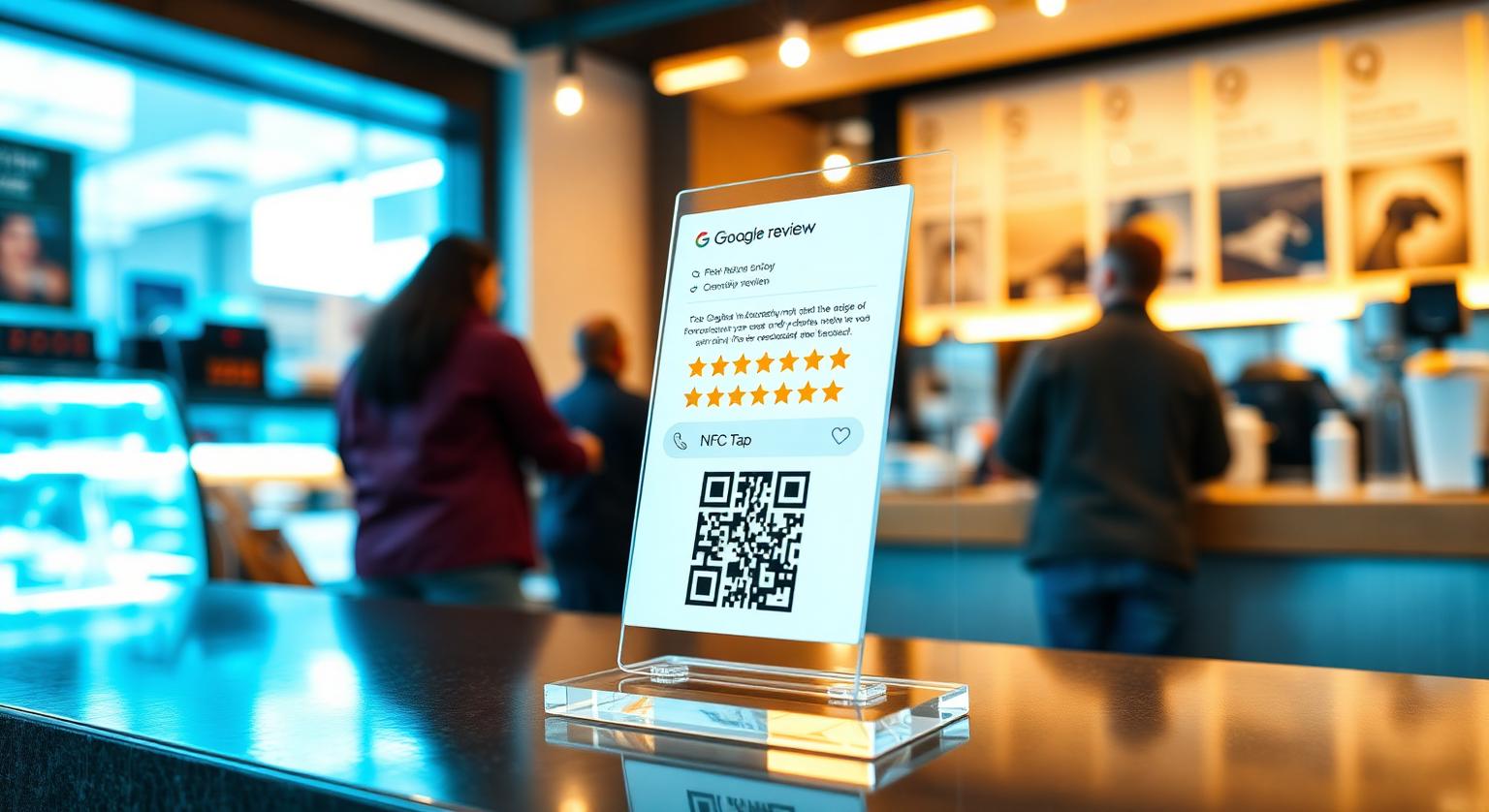
A Google review stand on the counter gives every customer a visible, easy way to leave a review — but where you put it and how your team mentions it make the difference between a stand that gets used and one that gathers dust. This guide covers the best spots in a UK shop, how to set a stand up and test it, what the wording should say, and the mistakes to avoid under Google's policy and the DMCC Act 2024.
Why a Stand Works Alongside Cards Inside a Shop
A stand keeps asking when staff are busy. An NFC Google review card works best as a handover — a server, stylist or engineer passes it to the customer. But in a shop, nobody can be at the till every minute of trading. A counter stand fills that gap: it sits beside the card reader, on the host stand or at reception and gives every customer the same simple prompt.
What a stand adds in a shop setting:
- It's there every shift, even when staff forget to ask
- Customers waiting to pay or collect have time to notice it
- It's harder to lose than a card on a busy Saturday
- It reaches takeaway and walk-out customers who barely speak to staff
- It pairs an NFC tap with a printed QR code, so customers with NFC switched off can still scan
Best Placement Inside a UK Shop
Put the stand where customers already pause and look — usually next to where they pay. These spots tend to work well:
Beside the card reader at the till — the customer is already looking down at the counter once their contactless or phone payment goes through.
On the collection counter at cafés, bakeries, delis, chip shops and pharmacies — where customers stand and wait for their order.
At the host stand of pubs and restaurants — visible to guests waiting for a table and to those settling up on the way out.
On the reception desk of salons, dental practices, vets and clinics — positioned for check-out rather than check-in, when the service is complete.
Beside the service desk at MOT centres and tyre fitters — where the customer collects their keys and pays.
On the customer side of the counter at dry cleaners, alteration shops, cobblers and key-cutters.
Placement tip: keep the stand within easy reach of the customer, on their side of the counter, and clear of the till lip, glass screens and leaflet piles. If a customer would have to lean over or ask to reach it, move it.
How to Set Up a Google Review Stand
Setup takes minutes because the stand arrives pre-programmed with your Google review link. Your job is to supply the right link and test it.
Find your direct review link in your Google Business Profile (Read reviews → Get more reviews) and supply it when ordering — our guide on finding your Google review link walks through it.
When the stand arrives, tap it with an iPhone and an Android phone and scan the printed QR code to check each opens your review form.
Place the stand on the customer's side of the counter, beside the card reader — not behind glass or under the till.
Brief the team with one line: "If they've paid, point to the stand and say: would you mind leaving us a quick review?"
Check your Business Profile over the first few weeks and reply to new reviews as they arrive.
If your link might change (a move, rebrand or new profile), the optional editable-link add-on lets you update it without reprinting.
What to Put on the Stand (Wording That Works)
Keep the wording short, clear and neutral — it should tell customers what to do, not what to say.
- Headline: "Tap or scan to leave a Google review" — plain instructions beat clever slogans
- Optional sub-line: "It really helps our small business" — honest and low-pressure
- Your business name, so customers know whose review page they're opening
- Avoid anything that steers the rating, such as "Leave us 5 stars" — ask for an honest review instead
- Don't imply Google endorses your business; just say what the stand is for
UK Businesses Where Stands Get Used Most
- Pubs, cafés, bakeries, chip shops and coffee shops — host stand or collection counter
- Salons, barbers, nail bars, aesthetic clinics and tanning studios — reception at check-out
- Private dental, orthodontic, chiropractic and vet practices — front desk at appointment end
- MOT centres, tyre shops, quick-fit and valeting bays — the service desk
- Off-licences, newsagents and convenience stores — beside the till
- Boutique retail, gift shops, bookshops and record shops — at the wrapping counter
- Estate agents, mortgage brokers and solicitors — on the meeting-room table at completion
Mistakes That Stop a Stand Being Used
- Putting it behind the till where customers can't reach it
- Burying it under leaflets, menus or charity collection tins
- Never mentioning it — a quick verbal prompt from staff makes customers far more likely to notice it
- Offering a free drink or discount for a review — this breaches Google's policy, and concealed incentivised reviews are banned under the DMCC Act 2024
- Only pointing it out to customers who seem happy — Google prohibits selectively soliciting positive reviews
- Ignoring new reviews — Google says replying to reviews shows customers you value their feedback
UK rules in brief: since 6 April 2025, the Digital Markets, Competition and Consumers Act 2024 has banned fake reviews, concealed incentivised reviews and misleading presentation of reviews, enforced by the CMA. A stand that simply opens your review page, with no incentive or filtering, fits Google's policy. Read our guide to the DMCC Act fake review rules for more.
Stand vs Card vs Plaque — What Works Where
Each format suits a different spot, so many shops combine two or three:
- Counter-top Google review stand — a prompt that's there every shift · best for tills, reception desks and collection counters
- NFC Google review card — a staff handover at the moment of goodbye · best for salons, restaurants and service trades
- Wall-mounted Google review plaque — a permanent visual prompt · best for waiting rooms and reception walls
A Four-Week Plan for Getting Started With a Stand
Week 1: Find your review link and order one stand per till or counter where customers pay or wait.
Week 2: Test each stand, place it beside the card reader, and brief every shift on the one-line prompt.
Week 3: Check new reviews in your Business Profile, reply to each one, and share good feedback with the team.
Week 4: Look at which spots customers use, and move any stand that's being missed.
Putting It Together
A review stand works best as part of a simple routine: place it beside the card reader, mention it to every customer with one polite line, and reply to the reviews that come in. Keep it honest — no rewards, no picking and choosing who gets asked — and it gives every customer an easy route to your review page. For ideas on wording the ask, see how to train staff to ask for reviews ethically.
❓ Frequently asked questions
Where should I place a Google review stand inside my UK shop?
On the customer's side of the counter, beside the card reader at the till, on the collection counter, or on the reception desk at check-out. Choose wherever customers naturally pause after paying.
What is a Google review stand made of and how does it work?
Our stands are acrylic counter stands with an NFC chip and a printed QR code, pre-programmed with your Google review link. Customers tap or scan to open your review form; [see current prices](/product/google-review-stands) on the product page.
Are Google review stands allowed in the UK under the DMCC Act 2024?
Yes. A stand that simply opens your review page, with no incentive or filtering, fits Google's policy. The DMCC Act bans fake reviews, concealed incentivised reviews and misleading presentation of reviews.
Do Google review stands work with iPhones and Android phones?
iPhone XS/XR and later read NFC tags in the background; iPhone 7 to X use the NFC tag reader in Control Centre. Android phones need NFC switched on, and the printed QR code works with any phone camera.
How many Google review stands does a typical UK shop need?
Usually one per till or counter where customers pay or wait. Multi-branch businesses order per branch so each stand opens that branch's own review page.
How quickly will I see results from a stand?
There's no fixed timeline. Results depend on footfall and on whether staff mention the stand to every customer, so pair it with a consistent one-line prompt and reply to new reviews.
Where should I put my Google review stand?
The checkout counter or reception desk is usually the best starting point. Customers pause there near the end of their visit, often with their phone already out.
Do Google review stands work without staff involvement?
A stand is visible without anyone handing it over, so customers can use it on their own. A brief, friendly mention from staff can help more people notice it.
How many reviews will one stand bring in?
There's no reliable typical figure. It depends on your footfall, where the stand sits and whether staff mention it, so track your own review count before and after.
Should I choose a stand with NFC or QR only?
A stand with both covers more customers. NFC suits phones that can tap, and the printed QR code works with any phone camera.
How often should I move the stand?
There's no set schedule. If it seems to have blended into the background, try a different visible spot and see whether more customers use it.
Can I use a review stand alongside cards and plaques?
Yes. A stand covers a fixed counter, cards can be handed to customers, and a wall plaque gives another visible tap-or-scan point.
Related Guides & Tools
Hand-picked next reads for UK small businesses growing their Google reviews.
Explore Our Products
Google Review Card
NFC tap cards that take customers straight to your Google review page.
Google Review Stand
Countertop stands perfect for restaurants, salons, and reception desks.
Google Review Plaque
Wall-mounted plaques that collect reviews in high-traffic areas.
Google Review Stickers
Peel-and-stick NFC stickers for windows, doors, and counters.
Google Review Keychains
Portable keychains your team can carry to collect reviews anywhere.
NFC Wristband
Wearable NFC wristbands for events, trade shows, and on-the-go reviews.
Related articles
Review Cards vs Review Stands: Which Should Your Business Use?
Review cards suit a personal, staff-led ask; review stands sit on the counter for customers to use on their own. How each works, where each fits, and why many businesses use both.
What's the Best Place to Put Google Review Stands?
Where you put a review stand matters as much as the stand itself. Here's how to choose a spot customers will actually notice and use.
Google Review Tap Tag Setup Instructions: Step-by-Step Guide
How to set up an NFC Google review tap tag: find your review link before ordering, test the tap and the QR backup when it arrives, place it well, and fix the most common issues.