Best Google Review Card Designs: Layout and Design Tips
A clear call to action, simple layout and an obvious tap or scan point matter more than decoration. Practical design tips for NFC Google review cards, plus mistakes to avoid.
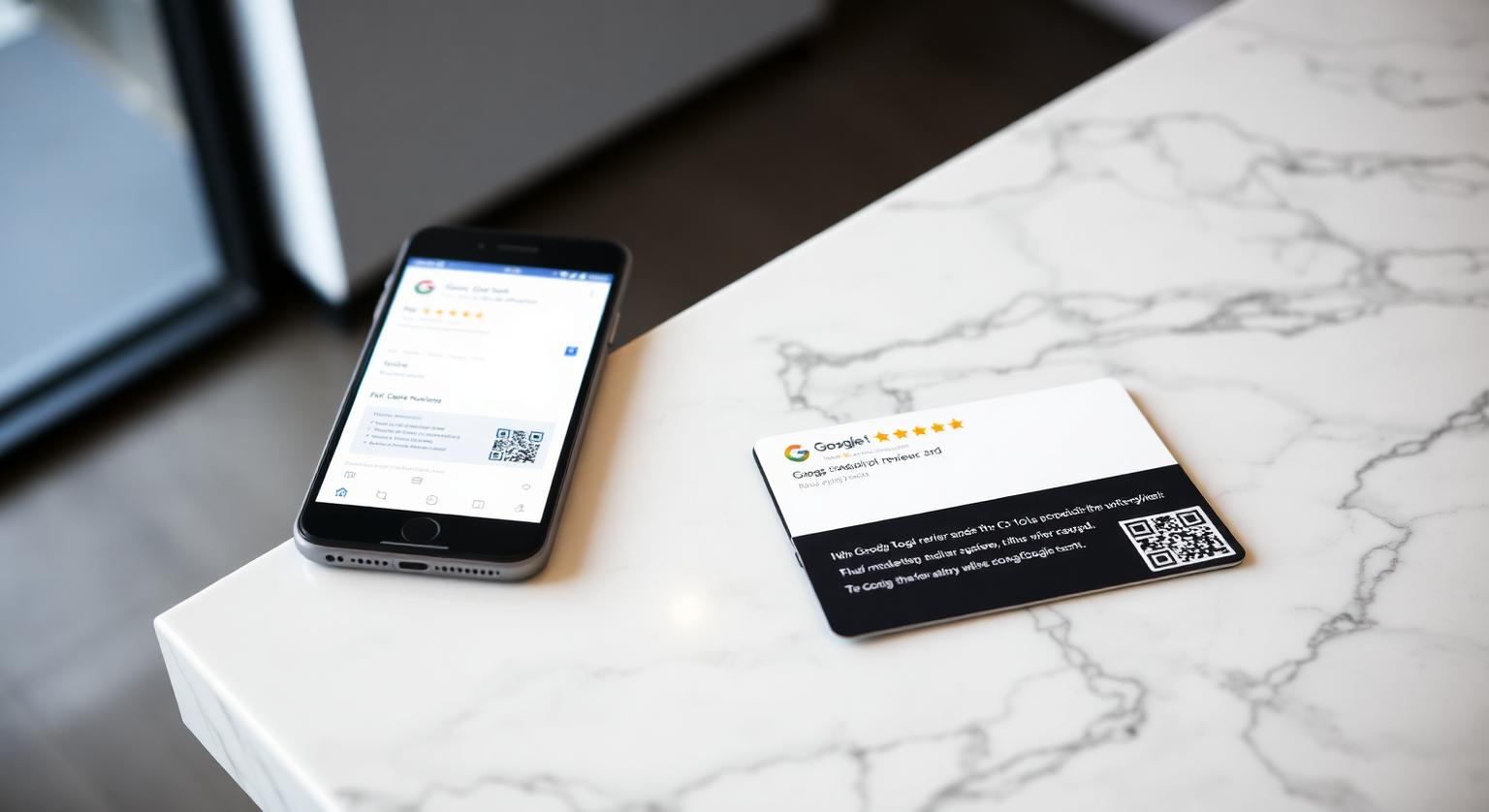
The best Google review card design for a Canadian business is the one a customer understands in a few seconds at a busy counter. Flashy finishes matter far less than a clear instruction, your own name and colours, and a printed QR code as a backup to the NFC tap. That holds whether you run a café in Toronto, a salon in Vancouver, a trades business in Calgary, a restaurant in Montréal, a dental clinic in Ottawa or a shop in Halifax.
Why Card Design Matters for Getting Reviews
Design matters because it decides whether a customer knows what to do with the card. A card that says nothing, or tries to say five things, tends to get set aside; a card with one plain instruction gets tapped. Good design removes hesitation at the moment the customer is happy and has their phone in hand.
What separates a clear card from a forgettable one:
- One polite call to action — "Tap to leave us a quick Google review" is clearer than clever copy
- Your business name and colours, so the card feels like part of your shop rather than a stock template
- Enough contrast to read under warm café lighting or the glare of a clinic front desk
- A printed QR code alongside the NFC tap, so customers whose phones don't read NFC can still scan
- A bilingual line where your customers expect one — "Tap to review / Touchez pour laisser un avis" works well in Quebec, Ottawa–Gatineau and New Brunswick
7 Design Choices That Work for Canadian Businesses
Our review cards are credit-card-size 600gsm PVC in white or black, with an NFC chip, an optional printed QR code and an optional business name. Within that format, these are the choices that make the biggest practical difference.
Black card with your business name — suits premium services such as aesthetic clinics, dental practices, real-estate teams and barbers, where a dark, understated look fits the brand.
White card with high-contrast text — suits cafés, bakeries, brunch spots and retail counters, where the card needs to read clearly across a busy till.
Unbranded card — useful if you run several locations, rebrand often, or want one card design that works anywhere.
Card with printed QR — recommended for most businesses, so every customer has a way in whether or not their phone reads NFC.
Bilingual wording — for Quebec and bilingual communities, a short English and French instruction makes the ask feel natural to everyone.
Card plus a counter stand — for high-traffic tills, a stand keeps the prompt visible when staff are busy; the handheld card stays for one-to-one handoffs.
Card on a keychain — for trades, mobile groomers and on-site services, a keychain travels with the van keys so the prompt is always on hand at job completion.
Counter test: hand the card to several customers without explaining it first. If most understand what to do within a few seconds, the design is working. If not, simplify the wording before you reorder.
Pricing and How Many Cards to Order
Most single-location businesses only need a few cards: one per till or reception point, plus a spare. Multi-location businesses usually order enough for each site, sometimes with the editable-link add-on so a card can be pointed at a different location later without reprinting. Prices are one-off, with no subscription — see current prices for Canada.
Cards and Other Review Tools — Where Each Fits
A card is best for a personal handoff; other formats cover moments when no one is handing anything over. Most businesses combine two or three.
- NFC review card — best for a one-to-one handoff at the till, chair or doorstep
- Google review stand on the counter — keeps the prompt visible during busy service
- Wall plaque — a permanent prompt in waiting areas and by the exit
- Review stickers — for doors, tables and menus where a stand would get in the way
- Email or SMS with your review link — useful for appointment-based businesses, but check the consent rules for marketing messages in Canada before you send
Design Mistakes to Avoid
- Two calls to action on one card — asking for an Instagram follow and a Google review splits attention
- Offering a free coffee or a discount for a review — Google's policy prohibits incentives for reviews of any kind
- A QR code printed too small to scan reliably at arm's length
- Copy that hints you only want five-star reviews — Google prohibits selectively soliciting positive reviews, so ask everyone for honest feedback
- Linking to your profile page instead of the direct review form — customers then have to hunt for the review button
How to Design Your Own Card
Find your direct Google review link in your Business Profile (Read reviews → Get more reviews). Our guide on how to find your Google review link walks through it.
Pick one call to action and keep it short.
Choose white or black to suit your storefront, and decide whether to print your business name.
Keep the printed QR code so customers without NFC can still reach the review page.
Add a French line if you serve francophone customers.
Plan placement — till, reception, pickup counter, or the doorstep at job completion.
Canadian Businesses Where a Handoff Card Fits Well
- Cafés, brunch spots, bakeries and craft breweries — handed over with the receipt
- Salons, barbers, nail studios and tattoo studios — at checkout, after the result is in the mirror
- Dental clinics, physios and chiropractors — at the front desk at the end of the appointment
- Real-estate teams, mortgage brokers, notaries in Quebec and accountants — at the final meeting
- HVAC, plumbing, electrical, snow-removal and pest-control businesses — on the doorstep when the job is done
- Auto repair and tire shops — at the service desk when the keys are returned
- Inns, B&Bs and short-term rental hosts — at check-out or as an in-room prompt
Compliance note: the Competition Bureau has warned businesses that fake reviews, including reviews by employees that don't disclose the relationship, can breach the Competition Act's deceptive marketing provisions. Ask customers only — never staff, family or yourself. See are review cards allowed by Google for the policy detail.
Bilingual Design in Quebec and Beyond
If you serve francophone customers, put French on the card. Quebec has its own French-language rules for commercial signage and customer communications, overseen by the Office québécois de la langue française, so check them before you print. Outside Quebec, a short bilingual line is simply good service in places like Ottawa, Moncton, Sudbury and parts of Manitoba. Replying to French reviews in French, and English reviews in English, carries the same courtesy through to your profile.
Order, Place, Review — A Simple First Month
Week 1: Order your cards and confirm the review link opens the review form on both an iPhone and an Android phone.
Week 2: Place them at every point where a visit ends and brief each shift with one polite line.
Week 3: Reply to every new review, positive or negative, in the customer's language.
Week 4: Look at your new reviews in Google Business Profile and adjust placement or wording if the card isn't being used.
Key Takeaways
Keep the card simple: one clear call to action, your name and colours, a printed QR backup, and French where your customers expect it. Then put it where visits end, ask every customer the same way, and reply to what they write.
❓ Frequently asked questions
What is the best Google review card design for a Canadian small business?
A white or black card with one short call to action, your business name, a printed QR code as a backup to the NFC tap, and a French line if you serve francophone customers.
How much does an NFC Google review card cost in Canada?
Prices are one-off with no subscription, and they vary by quantity and options. [See current prices](/product/nfc-google-review-cards) on the product page.
Are Google review cards allowed under Google's rules and Canadian law?
Yes, as long as there's no incentive, no filtering and no staff reviews. A card that simply opens your review page, asking every customer for honest feedback, fits Google's policy; the Competition Bureau has warned that fake or undisclosed employee reviews can breach the Competition Act.
Do Google review cards work with iPhones and Android phones?
iPhone 7 and later can read NFC; iPhone XS/XR and later read tags in the background, while iPhone 7–X use the NFC tag reader in Control Centre. Android phones need NFC switched on, and the printed QR code works with any phone camera.
Should my review card be bilingual?
If you serve francophone customers, yes. In Quebec, check the Office québécois de la langue française guidance on French in commercial materials before you print.
How many Google review cards does a typical business need?
Usually one per till or reception point, plus a spare. Multi-location businesses order enough for each site.
Does Google review card design affect how many people use it?
It can. A card with one clear call to action and an obvious tap point is easier to act on than a cluttered one, though results depend on your customers and how the card is offered.
Is a minimalist design better than a heavily branded one?
For most businesses, a simple layout works well because the action is obvious. You can still add your business name or logo as long as the review call to action stays prominent.
Should I include star icons on the card?
Stars are fine as a visual cue that the card is about reviews. Don't ask for a specific rating or for positive reviews only, because Google's policy prohibits selectively soliciting positive reviews.
Should the card mention Google?
Yes. Customers like to know where a link will take them, and naming Google makes the destination clear.
Do I still need a QR code if my card has NFC?
It's a useful backup. iPhone 7 and later and Android phones with NFC switched on can read the chip, and a printed QR code works with any phone camera.
What are your Google review cards made of?
Our review cards are credit-card size and made from 600gsm PVC in white or black, with a passive NFC chip inside. You can add a printed QR code and your business name, or choose an unbranded card.
Can one card design work in different countries?
Yes. The card simply opens your Google review link, so the same layout works anywhere. Businesses that serve customers in more than one language sometimes add a second-language line.
Related Guides & Tools
Hand-picked next reads for Canadian small businesses growing their Google reviews.
Explore Our Products
Google Review Card
NFC tap cards that take customers straight to your Google review page.
Google Review Stand
Countertop stands perfect for restaurants, salons, and reception desks.
Google Review Plaque
Wall-mounted plaques that collect reviews in high-traffic areas.
Google Review Stickers
Peel-and-stick NFC stickers for windows, doors, and counters.
Google Review Keychains
Portable keychains your team can carry to collect reviews anywhere.
NFC Wristband
Wearable NFC wristbands for events, trade shows, and on-the-go reviews.
Related articles
NFC Review Cards vs QR Review Cards – Which Gets More Reviews?
How an NFC tap compares with a QR scan for collecting Google reviews — and why many businesses use both on the same card.
What Is a Google Review Card? (Full Guide + How It Works)
What a Google review card is, how the NFC tap and QR code work, and why it makes leaving a review easier for your customers.