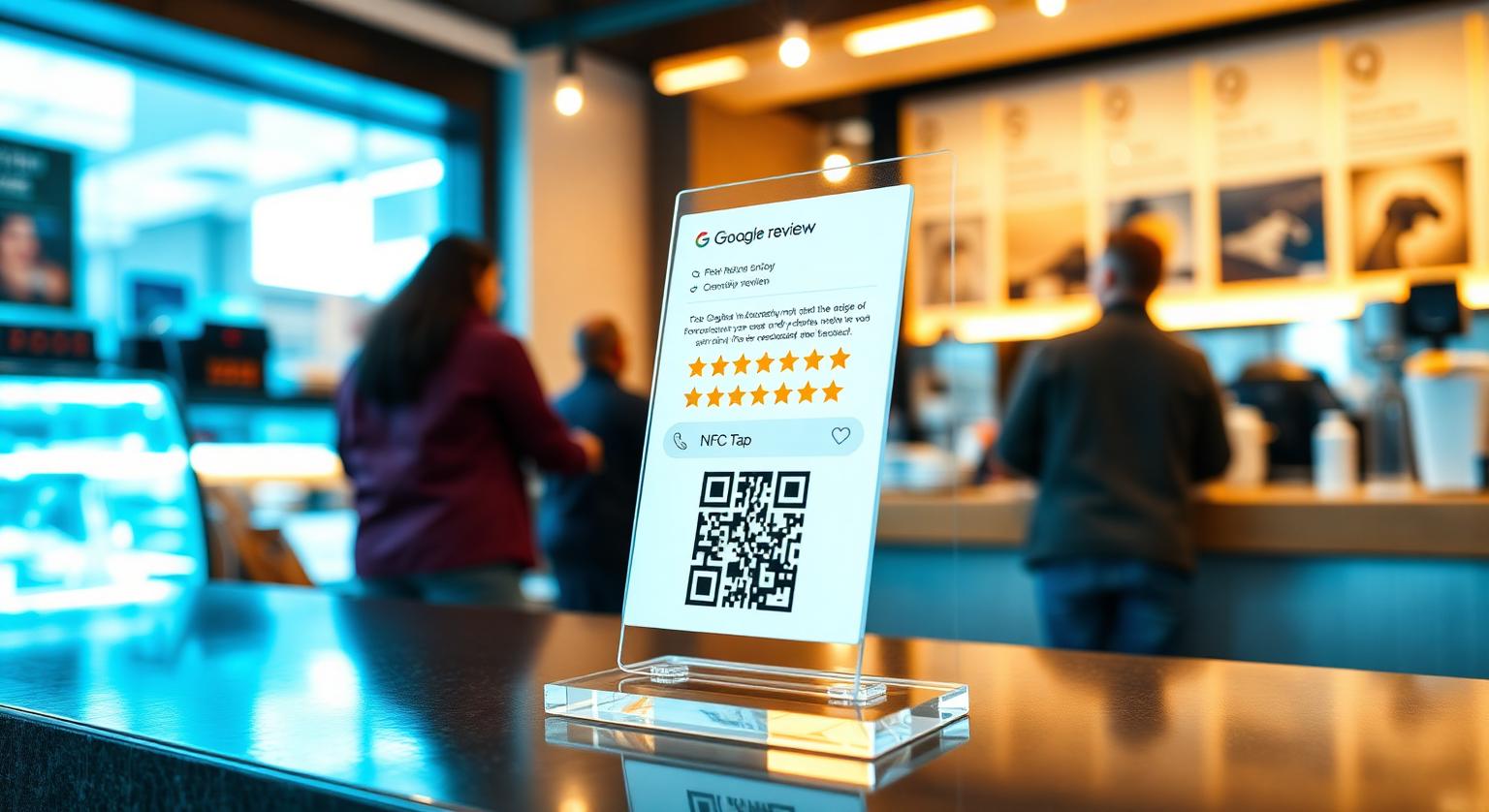
A Google review stand on the counter is one of the simplest pieces of in-store marketing an Australian small business can set up — but only when it's placed and mentioned well. Whether it's a café in Surry Hills, a bottle shop in Brisbane, a dental clinic in Subiaco, a trades office in Geelong or a surf shop in Byron, the difference between a stand that gets used and one nobody notices usually comes down to where it sits.
Why a Stand Works Alongside Cards
A stand keeps asking when staff are too busy to. NFC Google review cards work best at a personal handover, but nobody is at the till every minute of trading. A stand placed beside the EFTPOS terminal or pickup counter quietly invites every customer to leave a quick Google review.
What a stand adds in a shop setting:
- It's there every shift, even when staff forget to ask
- It shows customers you welcome feedback
- It stays put through a busy Saturday — it can't be pocketed or binned like a loose card
- It reaches takeaway and walk-out customers who never chat to staff
- It pairs an NFC tap with a printed QR code, so customers with any phone can use it
Where to Place a Stand in an Australian Shop
Beside the EFTPOS terminal at the till — where the customer is already looking after they pay.
On the pickup counter at cafés, bakeries, fish and chip shops and bottle shops — where customers wait for their order.
At the host stand of pubs and restaurants — guests waiting for a table often have their phone out already.
On the reception desk of salons, dental, vet and aesthetic clinics — facing customers at checkout, not check-in.
Beside the service desk at auto, tyre and mobile-mechanic businesses — when the customer collects their keys.
On the customer-facing side of the counter at dry cleaners, alteration shops and surf shops.
Placing the stand close to the payment point tends to work best, because customers are already looking that way after they pay. Keep it within easy arm's reach — customers need to hold their phone right up to it.
How to Set Up a Google Review Stand in a Few Minutes
Setup is quick because our Google review stands arrive pre-programmed with your Google review link. Your job is to check it, place it and tell the team.
When the stand arrives, tap it with your own phone and scan the QR code to confirm both open your Google review page.
If you're not sure which link to use, follow our guide on how to find your Google review link.
Place the stand beside the EFTPOS terminal — never behind glass or tucked under the counter lip.
Brief the team with one line: "After they've paid, point to the stand and say: if you've got a sec, we'd love a quick Google review."
Reply to new reviews in your Google Business Profile so customers can see you read them.
If your link might change (a rebrand or new profile), the optional editable-link add-on lets you update it without replacing the stand.
Australian Businesses Where Stands Fit Best
- Cafés, brunch spots, bakeries, fish and chip shops, bottle shops — host stand or pickup counter
- Salons, barbers, nail bars, aesthetic clinics, tattoo studios — reception at checkout
- Dental, GP, physio, chiropractic and vet clinics — front desk at the end of the appointment
- Auto repairers, tyre shops, smash repairers — the service desk
- Liquor stores, newsagents and convenience stores — beside the till
- Wineries and eco-stays — at the cellar door or check-out
Mistakes That Stop a Stand Being Used
- Putting it behind the till where customers can't reach — most people won't lean over to tap it
- Hiding it behind specials boards, flyers or tip jars
- No staff mention — a stand nobody points to is easy to overlook
- Offering a free coffee or a drink for a review — Google's policy prohibits incentives in exchange for reviews
- Asking only customers who seem happy — Google's policy also prohibits selectively soliciting positive reviews
- Ignoring new reviews — Google says replying to reviews shows customers you value their feedback
A plain Google review stand that simply opens your review page, with no incentive or filtering, fits Google's policy. Australian Consumer Law prohibits misleading or deceptive conduct, which can include fake reviews and misleading testimonials.
Stand vs Card vs Plaque
Each tool suits a different moment. Many shops use a stand at the till plus cards for staff who serve customers away from the counter. For a fuller breakdown, see review cards vs review stands.
| Tool | Best spot | Works best when |
|---|---|---|
| Review stand | Till, pickup counter, reception | Customers pay or wait at a fixed point |
| NFC review card | Table service, on the job, handover | Staff speak to customers one to one |
| Wall plaque | Waiting area, near the entrance | Customers sit or queue for a while |
A Simple First Month With a Stand
Week 1: Order one stand per till and check each one with your own phone when it arrives.
Week 2: Place it beside the EFTPOS terminal and brief every shift with the one-line script.
Week 3: Check new reviews in Google Business Profile and share them with the team.
Week 4: If the stand isn't being used, try a different spot closer to the payment point.
Getting Started
A Google review stand is a simple, always-on reminder for customers. Place it beside the EFTPOS terminal, pair it with a one-line staff mention, and reply to reviews promptly. That covers most of what makes a stand work.
❓ Frequently asked questions
Where should I place a Google review stand inside my Australian shop?
Beside the EFTPOS terminal at the till, on the pickup counter at cafés and bakeries, or on the reception desk of salons and clinics at checkout. Close to the payment moment usually works best.
How much does a Google review stand cost in Australia?
Current prices are listed in Australian dollars on the stand product page. It's a one-off purchase with no subscription, and delivery is a flat rate.
Are Google review stands legal under Australian Consumer Law?
A stand that simply opens your review page, with no incentive or filtering, fits Google's policy. Australian Consumer Law prohibits misleading or deceptive conduct, which can include fake reviews.
Do Google review stands work with iPhones and Android phones?
iPhone 7 and later can read NFC tags, with iPhone XS, XR and later reading them in the background. Android phones need NFC switched on, and the printed QR code works with any phone camera.
How many Google review stands does a shop need?
Usually one per till, plus one at the pickup counter or reception where that's a separate spot. Multi-site businesses order a stand per location so each points to the right profile.
How quickly will a stand bring in reviews?
It depends on your foot traffic and how consistently staff mention it. Keep it near the payment point, pair it with a one-line prompt, and check your Google Business Profile over the first few weeks.
Where should I put my Google review stand?
The checkout counter or reception desk is usually the best starting point. Customers pause there near the end of their visit, often with their phone already out.
Do Google review stands work without staff involvement?
A stand is visible without anyone handing it over, so customers can use it on their own. A brief, friendly mention from staff can help more people notice it.
How many reviews will one stand bring in?
There's no reliable typical figure. It depends on your footfall, where the stand sits and whether staff mention it, so track your own review count before and after.
Should I choose a stand with NFC or QR only?
A stand with both covers more customers. NFC suits phones that can tap, and the printed QR code works with any phone camera.
How often should I move the stand?
There's no set schedule. If it seems to have blended into the background, try a different visible spot and see whether more customers use it.
Can I use a review stand alongside cards and plaques?
Yes. A stand covers a fixed counter, cards can be handed to customers, and a wall plaque gives another visible tap-or-scan point.
Related Guides & Tools
Hand-picked next reads for Australian small businesses growing their Google reviews.
Explore Our Products
Google Review Card
NFC tap cards that take customers straight to your Google review page.
Google Review Stand
Countertop stands perfect for restaurants, salons, and reception desks.
Google Review Plaque
Wall-mounted plaques that collect reviews in high-traffic areas.
Google Review Stickers
Peel-and-stick NFC stickers for windows, doors, and counters.
Google Review Keychains
Portable keychains your team can carry to collect reviews anywhere.
NFC Wristband
Wearable NFC wristbands for events, trade shows, and on-the-go reviews.
Related articles
Review Cards vs Review Stands: Which Should Your Business Use?
Review cards suit a personal, staff-led ask; review stands sit on the counter for customers to use on their own. How each works, where each fits, and why many businesses use both.
What's the Best Place to Put Google Review Stands?
Where you put a review stand matters as much as the stand itself. Here's how to choose a spot customers will actually notice and use.
Google Review Tap Tag Setup Instructions: Step-by-Step Guide
How to set up an NFC Google review tap tag: find your review link before ordering, test the tap and the QR backup when it arrives, place it well, and fix the most common issues.