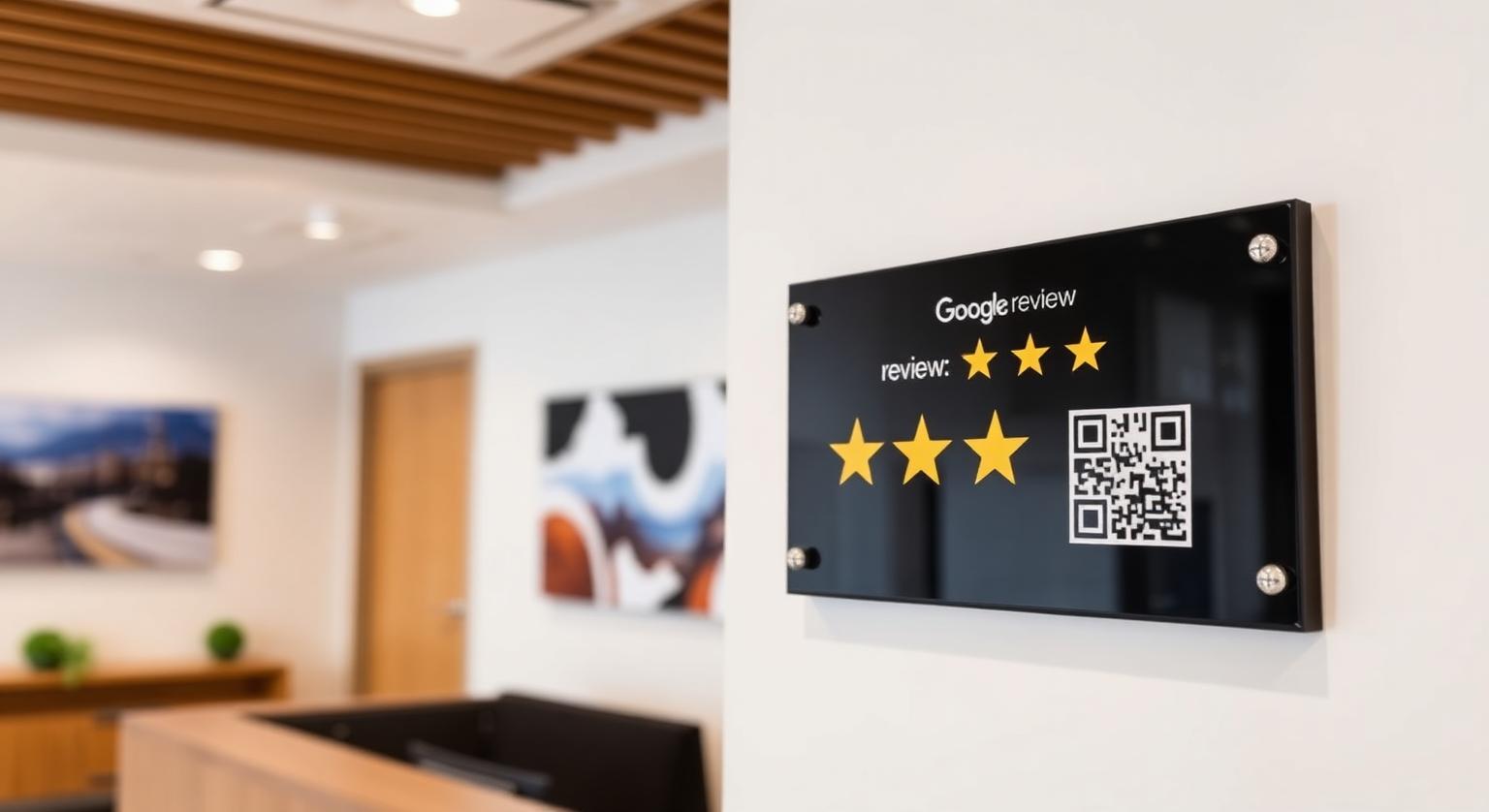
You've got your Google review plaque — now where should it go? From fish and chip shops to cellar doors, dive schools and cafés, the same rule applies: a plaque on the wrong wall is just decoration. Put it where customers naturally look and wait, within easy reach of a phone, and it quietly does its job.
Match the Wall to Your Shopfront
The best wall depends on how customers move through your space. Most Australian small businesses operate from a shopping-centre tenancy, a standalone street-front shop, or a regional main-street site, and each has a different spot where customers pause long enough to notice a plaque.
Pick your plaque wall by layout:
- Shopping-centre tenancy — an internal wall facing the entrance, visible as customers walk in
- Street-front shop — a feature wall near the counter, where customers stand while paying
- Regional main-street site — beside the counter or on the wall customers face while they queue
- Café or bar — near the pickup point or beside the counter, where customers wait for orders
- Trades showroom or service centre — the consult or waiting area, not the workshop
How High Should the Plaque Go?
Mount the plaque at comfortable eye level for a standing adult, and a little lower where customers are seated, such as waiting rooms and salon chairs. Because customers need to hold their phone right up to the NFC tag, it must be within easy reach — never above head height, behind a counter or behind furniture.
Glare check: afternoon sun through an open shopfront can make a plaque hard to read and the QR code harder to scan. Avoid the wall that catches direct afternoon sun, and test the QR code at the time of day you're busiest.
Mounting Day — A Practical Walkthrough
Check the plaque with your own phone first — tap it and scan the QR code to confirm both open your Google review page.
Use a stud finder to locate studs or battens behind plasterboard.
Tape the plaque in place with masking tape, then walk to the door and the counter to check it's easy to see.
Fix into a stud where possible; otherwise use wall plugs or anchors suited to your wall type and the plaque's weight.
For brick or masonry walls, use a masonry bit and the matching plugs.
Mount it, check it's level, and tap it again once it's on the wall.
Add a photo of your shop interior to your Google Business Profile if you like — it helps customers know what to expect when they visit.
Brief the team: "If a customer asks about the plaque, show them how to tap or scan it."
Australian Businesses Where a Plaque Fits Well
- Cafés, brunch spots and specialty coffee roasters
- Bottle shops, craft breweries and small-batch distilleries
- Salons, brow bars, barbershops and beauty studios
- Dental, physio, chiropractic and GP clinics with a waiting room
- Trades businesses with a showroom or consult room
- Surf shops, dive schools and board shapers
- Real estate offices with a reception area
Choosing the Right Plaque
Our Google review plaque is a wall-mounted display that arrives pre-programmed with your Google review link. Choose a spot first, then make sure the plaque's size suits the wall so it reads clearly without dominating the space. Prices are in Australian dollars and can change, so check the product page for current pricing.
Plaque Pitfalls to Avoid
- Relying on adhesive strips on a hot, humid wall — they can lose grip; use proper fixings
- Mounting it in the corridor to the toilets — people pass by, but they're not stopping to look
- Putting a "leave a review, get a free flat white" sign next to it — Google's policy prohibits incentives for reviews
- Crowding it with tip jars, payment signs and old stickers
- Mounting it out of reach — if customers can't get their phone close, they can't tap it
A plaque that simply opens your Google review page, with no incentive or filtering, fits Google's policy. Australian Consumer Law prohibits misleading or deceptive conduct, which can include fake reviews and misleading testimonials, and the ACCC publishes guidance on online reviews for businesses.
How a Plaque Compares With Other Review Tools
- Wall-mounted Google review plaque — an always-visible prompt with NFC and QR
- Counter Google review stand — best at the payment moment
- NFC Google review card — best for a personal handover at the table or on the job
- Window sticker — a passive prompt visible from the footpath
- Email or SMS review request — useful after appointments, but easier to ignore
A Simple Three-Week Plaque Plan
Week 1: Choose the wall, order the plaque and plan a short fitting on a quiet morning.
Week 2: Mount it, test it with a couple of phones and brief every shift.
Week 3: Reply to new reviews in your Google Business Profile and check the plaque is still easy to reach and unobstructed.
Getting Started
A Google review plaque is one of the most forgiving pieces of in-store marketing. Pick the wall customers actually face, mount it within easy reach, use fixings that suit your wall, and reply to reviews promptly. For more placement ideas, read how to use review plaques for in-store social proof.
❓ Frequently asked questions
What's the right mounting height for a Google review plaque?
Comfortable eye level for a standing adult, or a little lower where customers are seated. Above all, it must be within easy reach so customers can hold their phone right up to it.
How much does a Google review plaque cost in Australia?
Current prices are listed in Australian dollars on the plaque product page. It's a one-off purchase with no subscription.
Are Google review plaques allowed under Australian Consumer Law?
A plaque that simply opens your review page, with no incentive or filtering, fits Google's policy. Australian Consumer Law prohibits misleading or deceptive conduct, which can include fake reviews. This is general information, not legal advice.
What fixings should I use on plasterboard or brick?
Fix into a stud where you can; otherwise use plasterboard anchors suited to the plaque's weight. For brick, use a masonry bit with matching wall plugs. Your local hardware store can advise on the right type.
Which Australian businesses suit a wall plaque?
Cafés, bottle shops, salons, dental and allied-health clinics, trades showrooms, surf shops and real estate offices suit plaques well, because customers pause at a fixed spot where it's easy to notice.
Can I mount the plaque outside?
Inside, facing out through the window, is the safer choice. Direct sun, rain and salt air can fade print and wear the surface over time, so only mount outdoors in a sheltered spot.
Does a Google review plaque help me get more reviews?
It gives customers an easy, always-visible way to reach your review page by tapping or scanning. Whether it leads to more reviews depends on where it's placed and whether your team mentions it.
Where should I not mount a review plaque?
Avoid spots customers rarely see, places too high to reach with a phone, cluttered walls and surfaces made of metal. Restrooms and back corridors are also poor choices.
What height is best for mounting?
Choose a height most adults can reach comfortably with a phone, roughly chest to eye level. Customers need to hold their phone close to tap it.
Can I mount a plaque on glass or brick?
Yes, as long as you use fixings suited to that surface and mount it level. Test the tap and QR code once it's in place.
Does a plaque need updating?
The plaque itself doesn't show a rating, so it doesn't need updating as reviews come in. If your review link changes, the editable-link add-on lets you update the destination without a new plaque.
Does a plaque work for service-area businesses?
Plaques suit places with walk-in customers, such as restaurants, clinics, salons, hotels and shops. Businesses that visit customers on site usually find cards or keychains more practical.
Related Guides & Tools
Hand-picked next reads for Australian small businesses growing their Google reviews.
Explore Our Products
Google Review Card
NFC tap cards that take customers straight to your Google review page.
Google Review Stand
Countertop stands perfect for restaurants, salons, and reception desks.
Google Review Plaque
Wall-mounted plaques that collect reviews in high-traffic areas.
Google Review Stickers
Peel-and-stick NFC stickers for windows, doors, and counters.
Google Review Keychains
Portable keychains your team can carry to collect reviews anywhere.
NFC Wristband
Wearable NFC wristbands for events, trade shows, and on-the-go reviews.
Related articles
How to Use Review Plaques to Improve In-Store Social Proof
A Google review plaque on the wall tells visitors you welcome feedback and gives them an easy way to leave it. How plaques support in-store social proof, where to put them and what to avoid.
Review Cards vs Review Stands: Which Should Your Business Use?
Review cards suit a personal, staff-led ask; review stands sit on the counter for customers to use on their own. How each works, where each fits, and why many businesses use both.