Best Google Review Card Designs: Layout and Design Tips
A clear call to action, simple layout and an obvious tap or scan point matter more than decoration. Practical design tips for NFC Google review cards, plus mistakes to avoid.
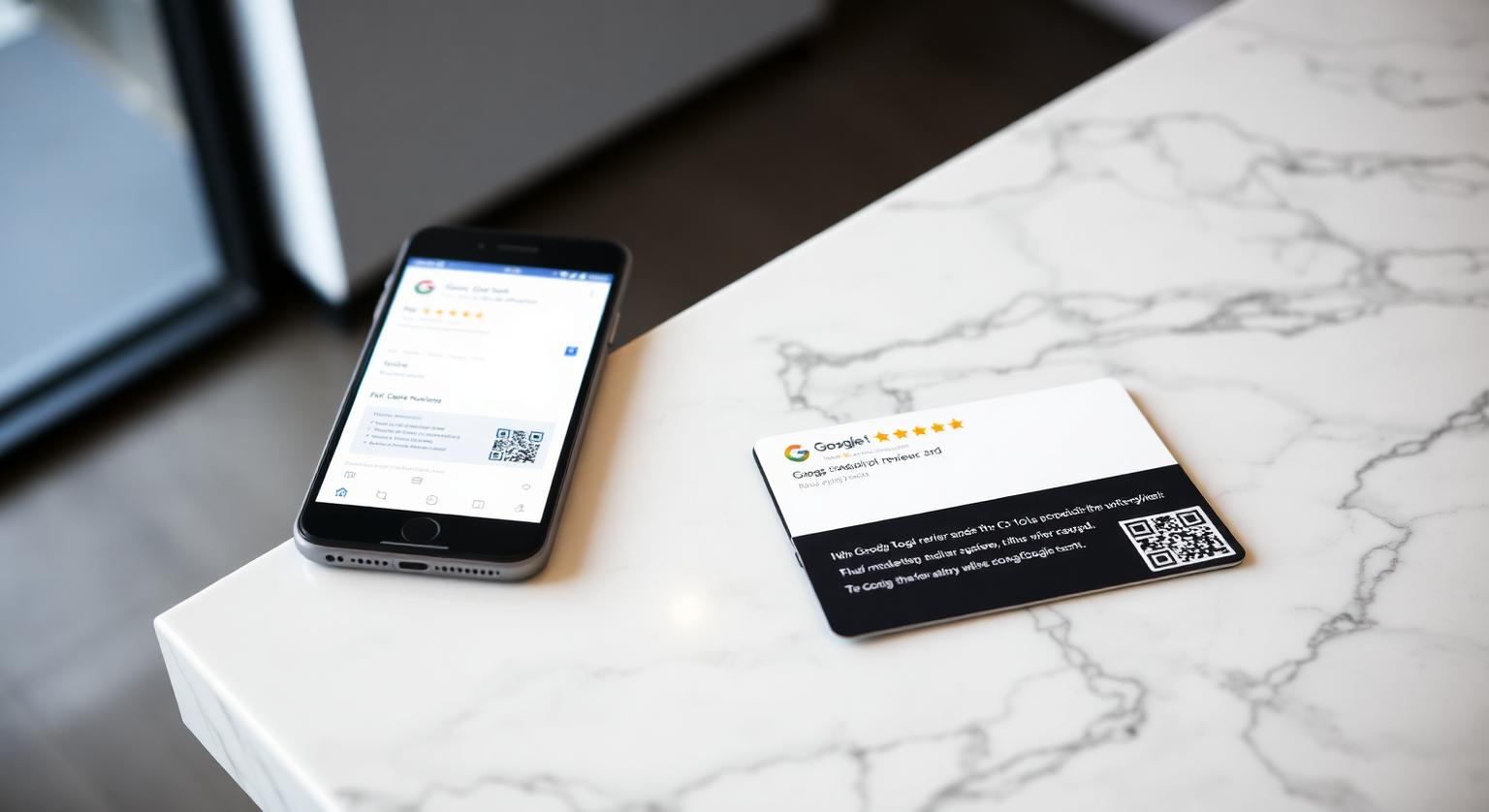
The best Google review card design for a UK business isn't the flashiest — it's the one a customer understands at a glance at a busy till. In practice that means a clean card, one clear instruction, your business name where it helps, and both an NFC chip and a printed QR code so nobody is left out. This guide covers the design choices that matter, which card colour suits which kind of business, and the mistakes that stop customers tapping.
Why Card Design Matters for Getting Reviews
Design matters because the customer has a few seconds to work out what the card is for. If the instruction is unclear, they'll smile, put it down and move on. A tidy card with a single line such as "Tap to leave a Google review" removes the guesswork, so the customer's attention goes on the review rather than on the card.
What separates a card customers use from one they ignore:
- One clear call to action — "Tap or scan to leave a Google review" is easier to follow than clever copy
- A colour that suits your counter and lighting, so the card is easy to spot
- Your business name on the card, so the customer knows whose review page they're opening
- NFC and a printed QR code together, so every customer has a way in
- A clean layout with plenty of space around the QR code and the tap area
Seven Design Choices That Suit UK Businesses
Rather than chasing a trend, match the card to how your customers actually pay and leave. These seven choices cover most high-street and service businesses.
Black card for darker or more formal settings — private clinics, cosmetic dentists, estate agents, solicitors, bars and restaurants with low lighting. A black card looks smart next to a card reader and stands out on a light counter.
White card for bright counters — cafés, bakeries, delis, takeaways and pharmacies. White reads clearly under strong shop lighting and suits a clean, simple brand.
Business name printed on the card — useful wherever a customer might not be sure which business the card belongs to, such as shared reception areas, market stalls or multi-tenant buildings.
Unbranded card — useful if you want a neutral look, or for multi-site groups that want a consistent card at every branch, each programmed with that branch's own review link.
NFC plus printed QR — the QR code means customers whose phone has NFC switched off, or who simply prefer the camera, can still reach your review page.
A card for the van or kit bag — tradespeople, mobile groomers and cleaners can carry a credit-card-size card in a wallet or van door pocket and hand it over on the doorstep. A Google review keychain is another option on a key ring.
A matching counter or wall display — pair cards with a review stand at the till or a wall plaque in the waiting area, all pointing to the same review link.
Quick counter test: before you roll cards out to every till, hand one to a few colleagues or regulars without explaining it. If anyone hesitates or asks what to do, simplify the wording or move the card somewhere more visible.
Material, Durability and How Many Cards to Order
A good review card should survive daily handling at a busy till. Our cards are credit-card size, made from 600gsm PVC in white or black, with a passive NTAG-series NFC chip that needs no battery or charging. They arrive pre-programmed with your Google review link, and an optional editable-link add-on lets you change the link later without reprinting.
As a rule of thumb, order one card for every point where staff say goodbye to customers — the till, reception, the pass or the van — plus a spare for when one goes missing. Multi-site businesses usually order per branch so each card opens the right profile. Pricing is a one-off cost with no subscription; see current prices on the product page.
Cards vs Other Review Tools — Which Suits Which Spot
Each format suits a different moment, so many businesses use more than one:
- NFC Google review card — best for an in-person handover at the till, reception or on the doorstep
- Google review stand on a counter — best where customers wait or pay and staff can point to it
- Wall-mounted Google review plaque — best for waiting areas and reception walls as a permanent prompt
- Review sticker on a table, door or window — a light-touch prompt where there's no room for a stand; see our guide to the best surfaces for review stickers
- Email or SMS review links — useful after appointments or deliveries, but check the consent rules for marketing messages before you send
Design Mistakes That Stop Customers Tapping
Most problems come from asking the card to do too much, or from not testing it before handing it out.
- Two calls to action on one card — "Follow us on Instagram AND leave a Google review" splits attention
- Offering a discount, free drink or pudding for a review — this breaches Google's policy, and concealed incentivised reviews are banned under the DMCC Act 2024
- A QR code printed too small or too close to the edge — keep it large enough to scan comfortably under shop lighting
- Busy backgrounds or stock images that hide the instruction
- Not testing the card — always tap and scan it with an iPhone and an Android before handing it out
- A link that opens your Maps listing rather than the review form — use the link from Business Profile → Read reviews → Get more reviews
How to Design and Set Up Your Review Card
Pick one call to action, such as "Tap or scan to leave a Google review".
Choose white or black to suit your counter, lighting and brand colours.
Decide whether you want your business name printed on the card or an unbranded card.
Keep NFC and the printed QR together. iPhone XS/XR and later read NFC tags in the background; iPhone 7 to X use the NFC tag reader in Control Centre; Android phones need NFC switched on; any phone camera can scan the QR.
Order one card per handover point plus a spare, and add the editable-link option if your business details might change.
Test each card when it arrives, then place it wherever you say goodbye to customers — till, pass, reception desk or front door.
UK Businesses Where a Well-Designed Card Helps Most
Cards work best wherever there's a natural face-to-face goodbye, because that's when a short ask lands:
- Pubs, cafés, takeaways, bakeries and delis — at the till or when the bill is settled
- Salons, barbers, nail bars and tattoo studios — at reception on the way out
- Private dental practices, physios and opticians — at the front desk at check-out
- Estate agents, mortgage advisers, solicitors and accountants — at completion or a final meeting
- Plumbers, electricians, heating engineers, roofers and pest control — on the doorstep when the job is done
- MOT garages, car valeters, independent dealers and tyre fitters — at the service desk
- B&Bs, pubs with rooms and holiday lets — at check-out or in the room
What to expect: a card makes leaving a review easier, but results depend on how consistently your team asks. Google says more reviews and positive ratings can help your local ranking, alongside relevance and distance — and there's no way to pay for a better ranking.
What's Changing for UK Review Collection
The rules matter more than the look of the card. Since 6 April 2025, the Digital Markets, Competition and Consumers Act 2024 has made fake reviews, concealed incentivised reviews and misleading presentation of reviews banned practices in the UK. The CMA enforces these rules and can fine businesses up to 10% of global turnover. In 2025 the CMA also secured undertakings from Google to sanction businesses and reviewers involved in fake reviews, including warning alerts on profiles. A card that simply opens your review page, with no incentive or filtering, fits Google's policy. Many multi-site groups are also standardising one card design across branches so staff everywhere ask the same way.
Order, Place, Review — A Simple Four-Week Rollout
Week 1: Find your review link, choose white or black, and order one card per handover point plus a spare.
Week 2: Test each card, place them at every customer goodbye point, and agree a single, polite line the whole team uses.
Week 3: Check new reviews in your Business Profile and reply to them — Google says replying shows customers you value their feedback.
Week 4: Look at where cards are and aren't being used, and adjust placement or wording where they're being missed.
Pair cards with a Google review stand at busy counters and a Google review plaque on the wall so customers who aren't handed a card still see a prompt. For more ideas on asking, see our guide on how to ask customers for Google reviews naturally.
Putting It Together
The right card is the one your customers understand instantly and your staff are happy to hand over. Choose a colour that suits your counter, keep one clear instruction, include both NFC and QR, test it before use, and ask every customer the same honest way. No incentives, no filtering — just a simpler route to your review page.
❓ Frequently asked questions
What is the best Google review card design for a UK small business?
A white or black card with one clear instruction such as "Tap or scan to leave a Google review", your business name if it helps, and both NFC and a printed QR code. Choose the colour that stands out best on your counter.
How much does an NFC Google review card cost?
Prices vary and change, so check the [product page for current prices](/product/nfc-google-review-cards). It's a one-off purchase with no subscription.
Are NFC Google review cards allowed under UK law?
Yes. A card that simply opens your review page, with no incentive or filtering, fits Google's policy; under the DMCC Act 2024, fake and concealed incentivised reviews are what's banned. See our [DMCC Act guide](/uk/blog/dmcc-act-fake-reviews-rules-for-small-businesses) for detail.
Which UK businesses benefit most from review cards?
Any business with a face-to-face goodbye — pubs, cafés, salons, private dental and physio practices, tradespeople, garages, estate agents and B&Bs. The card works best when staff hand it over with a short, polite ask.
Do Google review cards work with iPhones and Android phones?
iPhone XS/XR and later read NFC tags in the background; iPhone 7 to X use the NFC tag reader in Control Centre. Android phones need NFC switched on, and the printed QR code works with any phone camera.
How many Google review cards does a typical UK business need?
One for each point where staff say goodbye to customers — till, reception, pass or van — plus a spare. Multi-site businesses order per branch so each card opens the right profile.
Does Google review card design affect how many people use it?
It can. A card with one clear call to action and an obvious tap point is easier to act on than a cluttered one, though results depend on your customers and how the card is offered.
Is a minimalist design better than a heavily branded one?
For most businesses, a simple layout works well because the action is obvious. You can still add your business name or logo as long as the review call to action stays prominent.
Should I include star icons on the card?
Stars are fine as a visual cue that the card is about reviews. Don't ask for a specific rating or for positive reviews only, because Google's policy prohibits selectively soliciting positive reviews.
Should the card mention Google?
Yes. Customers like to know where a link will take them, and naming Google makes the destination clear.
Do I still need a QR code if my card has NFC?
It's a useful backup. iPhone 7 and later and Android phones with NFC switched on can read the chip, and a printed QR code works with any phone camera.
What are your Google review cards made of?
Our review cards are credit-card size and made from 600gsm PVC in white or black, with a passive NFC chip inside. You can add a printed QR code and your business name, or choose an unbranded card.
Can one card design work in different countries?
Yes. The card simply opens your Google review link, so the same layout works anywhere. Businesses that serve customers in more than one language sometimes add a second-language line.
Related Guides & Tools
Hand-picked next reads for UK small businesses growing their Google reviews.
Explore Our Products
Google Review Card
NFC tap cards that take customers straight to your Google review page.
Google Review Stand
Countertop stands perfect for restaurants, salons, and reception desks.
Google Review Plaque
Wall-mounted plaques that collect reviews in high-traffic areas.
Google Review Stickers
Peel-and-stick NFC stickers for windows, doors, and counters.
Google Review Keychains
Portable keychains your team can carry to collect reviews anywhere.
NFC Wristband
Wearable NFC wristbands for events, trade shows, and on-the-go reviews.
Related articles
NFC Review Cards vs QR Review Cards – Which Gets More Reviews?
How an NFC tap compares with a QR scan for collecting Google reviews — and why many businesses use both on the same card.
What Is a Google Review Card? (Full Guide + How It Works)
What a Google review card is, how the NFC tap and QR code work, and why it makes leaving a review easier for your customers.