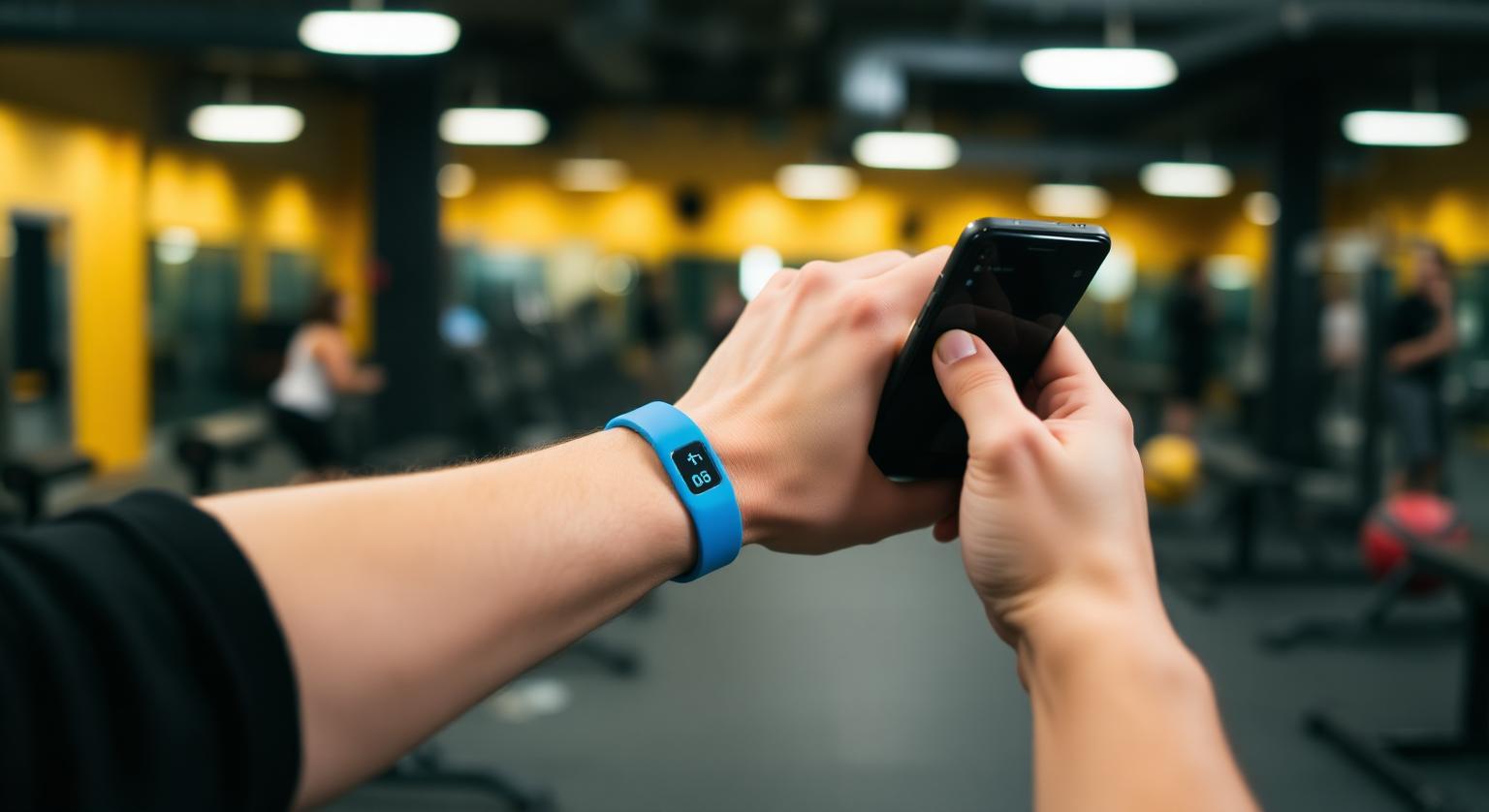
An NFC review wristband solves a specific problem: you work on your feet, away from a counter, and there's nowhere to put a review card or stand. Personal trainers, event and market vendors, trade show staff, wedding photographers and mobile beauty pros can wear the review link instead. A customer taps their phone against the band, or scans its printed QR code, and your Google review page opens so they can write their own review.
What Is an NFC Review Wristband?
It's a waterproof, wearable band with a small NFC chip inside and a printed QR code, pre-programmed with your Google review link before it ships.
The chip has no battery and needs no charging; the customer's phone powers it during the tap. The wristband doesn't post anything itself. It simply opens the Google review form, and the customer, signed in to their Google Account, chooses their own rating and writes their own words. See the NFC review wristband for current styles and colors.
Who Gets the Most From a Review Wristband?
Anyone whose best moment to ask for a review happens away from a desk, often with their hands full.
- Personal trainers and fitness instructors: the band stays on during the session, so the ask can happen as the client cools down
- Gym floor staff: easier to wear than to keep track of a card during a busy shift
- Event, market and food-truck vendors: one tap at the end of a sale, without hunting for a card under the counter
- Trade show booth staff: a quick tap after a good conversation or demo
- Wedding and event photographers: ask at the end of the shoot without digging through a camera bag
- Mobile beauty pros and spa staff: the band is waterproof, so wet hands and hand-washing aren't a problem
Wristband vs Card vs Stand: Which Fits Your Setup?
Choose the format based on where the customer is when the service ends. Many mobile businesses pair a wristband with a few cards for customers who want to review later.
| Format | Where it lives | Best for | Watch out for |
|---|---|---|---|
| Wristband | On your wrist | Trainers, vendors, photographers, mobile pros | Customers may need a moment to find the chip; show them where to tap |
| Review card | In your pocket or handed over | One-to-one services and home visits | Only works if staff remember to hand it over |
| Counter stand | On a checkout or reception counter | Shops, salons, clinics, cafés | Needs a fixed counter every customer passes |
How Does a Customer Tap a Wristband?
They hold their unlocked phone close to the band, almost touching, and the review page opens; if NFC isn't available, they scan the QR code instead.
Hold your wrist still, with the chip area facing the customer's phone
iPhone XS, XR and later: the customer holds the top of the unlocked iPhone near the band and taps the notification that appears
iPhone 7 to X: the customer opens the NFC tag reader in Control Center first, then holds the phone near the band
Android: NFC needs to be switched on in settings; on many models the reader sits on the back of the phone
No NFC, or it isn't working: the customer scans the printed QR code with their phone camera
The Google review page opens, and the customer signs in to their Google Account if needed and writes their review
What Should You Say When Wearing the Band?
Use one short, neutral line, ask every customer the same way, and let them decide whether to leave a review.
- Trainer: "If today's session helped, I'd really appreciate an honest Google review. Just tap your phone on my wristband."
- Market or event vendor: "Thanks for stopping by. If you'd like to leave us a Google review, tap here or scan the code."
- Photographer: "It was great working with you today. If you'd like to leave a Google review, tap my wristband to open our review page, or I can give you a card for later."
Practical Tips for Events and Gyms
- Tap-test the band with an iPhone and an Android phone before every event
- Mobile signal can be weak at crowded venues and in basement gyms, and the review page needs a data connection to load, so carry a few cards for people who'd rather review later
- Make sure your business has a Google Business Profile; reviews are left on that profile, so the link must point to it
- Keep the wristband clean and the QR code visible; turn the printed side up when someone wants to scan
- If your review link ever changes, the band can be reprogrammed, or you can add the editable-link option when ordering
Keep It Within Google's Rules
A wristband that simply opens your review page, with no incentive or filtering, fits Google's policy. The busy, informal setting of events makes a few mistakes tempting, so avoid them.
- No free drinks, samples, discounts or prize-draw entries in exchange for a review; Google's policy prohibits incentives of any kind
- Don't ask only the customers who seem delighted; Google prohibits selectively soliciting positive reviews
- Don't ask staff, friends or family to tap and review; that's conflict-of-interest content under Google's policy
- In the US, the FTC's rule on consumer reviews and testimonials bans fake reviews and buying reviews conditioned on sentiment
For more on asking clients during sessions, see how gyms and personal trainers get more Google reviews.
❓ Frequently asked questions
Are NFC review wristbands waterproof?
Yes. Our wristbands are waterproof and built for everyday wear, so sweat, rain and hand-washing during a session or market day are fine.
Does a review wristband need charging?
No. The NFC chip has no battery; the customer's phone powers it during the tap.
Which phones can tap a review wristband?
iPhone 7 and later can read NFC tags, with iPhone XS, XR and later reading them without opening anything; iPhone 7 to X use the NFC tag reader in Control Center. Android phones need NFC switched on, and the printed QR code works with any phone camera.
Do customers need an app to leave a review?
No app is needed. The tap or scan opens your Google review page in the browser or Maps app, and the customer needs to be signed in to a Google Account to post.
Can I change the review link on a wristband later?
Yes. Wristbands arrive pre-programmed with your Google review link and can be reprogrammed if it changes, or you can choose the editable-link add-on to update it without a replacement.
Do NFC wristbands work the same way as NFC cards?
Yes. Both use a passive NFC chip programmed with your Google review link. The difference is the format: a wristband is worn, so it's always to hand.
Can I change the link on a wristband later?
Yes, if you choose the optional editable-link add-on. Otherwise it stays linked to the review link you gave at checkout.
Should staff ask every customer to tap?
Yes. Offer it to everyone in the same friendly way, because Google's policy prohibits selectively soliciting positive reviews.
Related Guides & Tools
Hand-picked next reads for US small businesses growing their Google reviews.
Explore Our Products
Google Review Card
NFC tap cards that take customers straight to your Google review page.
Google Review Stand
Countertop stands perfect for restaurants, salons, and reception desks.
Google Review Plaque
Wall-mounted plaques that collect reviews in high-traffic areas.
Google Review Stickers
Peel-and-stick NFC stickers for windows, doors, and counters.
Google Review Keychains
Portable keychains your team can carry to collect reviews anywhere.
NFC Wristband
Wearable NFC wristbands for events, trade shows, and on-the-go reviews.
Related articles
How NFC Review Cards Can Help You Get More Google Reviews
NFC Google review cards cut the steps between a satisfied customer and a posted review. How they help, a simple plan for rolling them out, and what to expect.
Why NFC Review Cards Are the Future of Review Collection
NFC review cards turn asking for a Google review into a single tap at the point of service. Why more businesses are using them, how they compare with email, SMS and QR codes, and what they don't do.